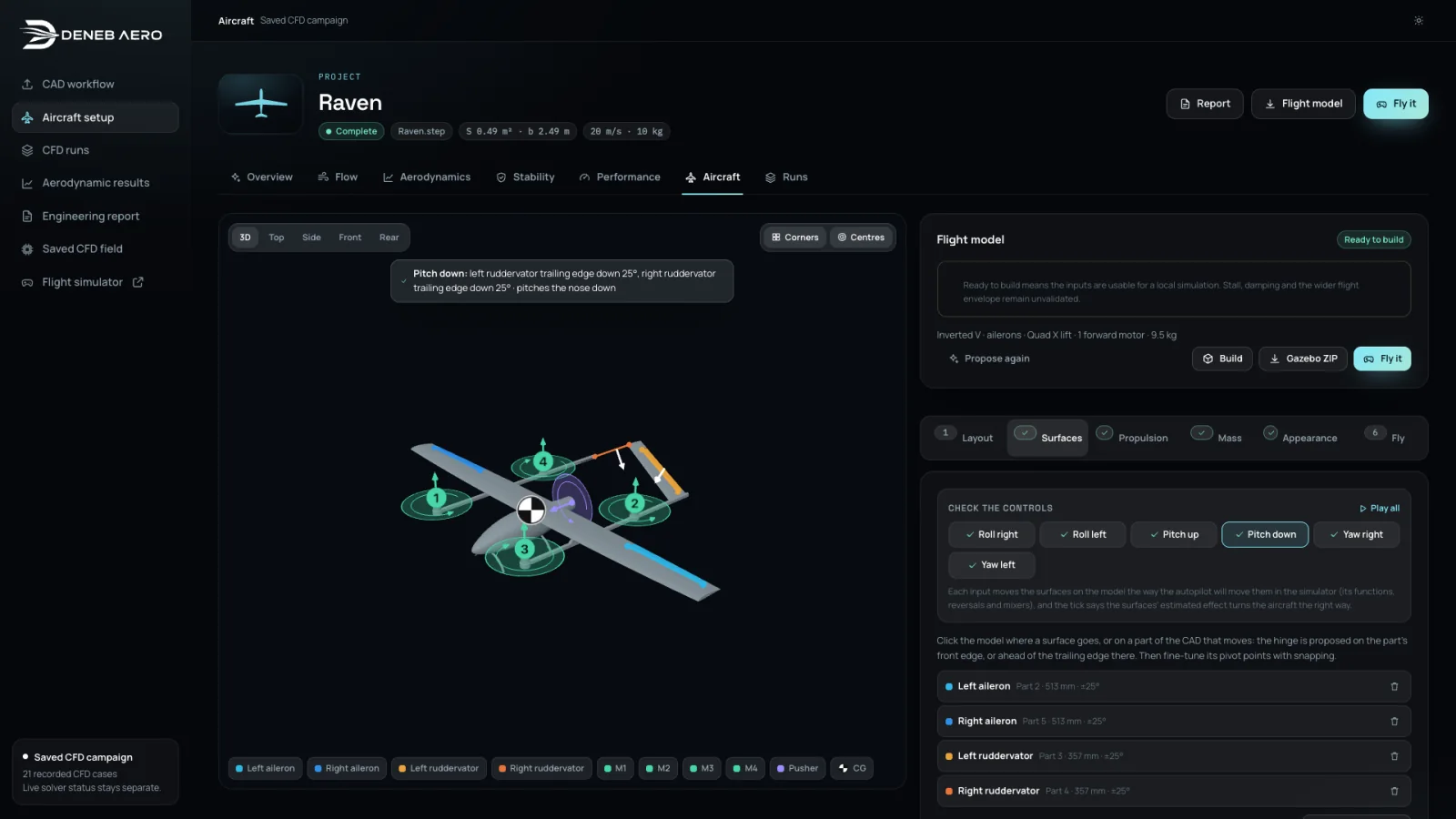
1 Import and set up the aircraft
Import CAD. Set the frame, assign moving controls and define mass, balance and propulsion.
Import the CAD. Deneb Aero meshes it, runs CFD across angles of attack and control deflections, and builds a Gazebo flight model from the results.
Early access: the Raven demo is open now, and invitations for your own aircraft go out in stages.
Everything shown is recorded from Deneb Aero itself: the AeroLab below with Raven’s saved CFD field, a real solver run, the campaign’s results and a Gazebo flight of the flight model built from them. Waits are cut, never faked. The solver run is the only sped-up shot and says so on screen; flight excerpts play in real time. The aerodynamic report documents the flight model’s coverage and assumptions.
Hosted flight is in development. Gazebo and the autopilot will run on our servers, and you will fly from the browser with nothing to install.
How it worksEvery step works on the same aircraft, so the report and the Gazebo package always match the geometry you imported.
Import CAD. Set the frame, assign moving controls and define mass, balance and propulsion.
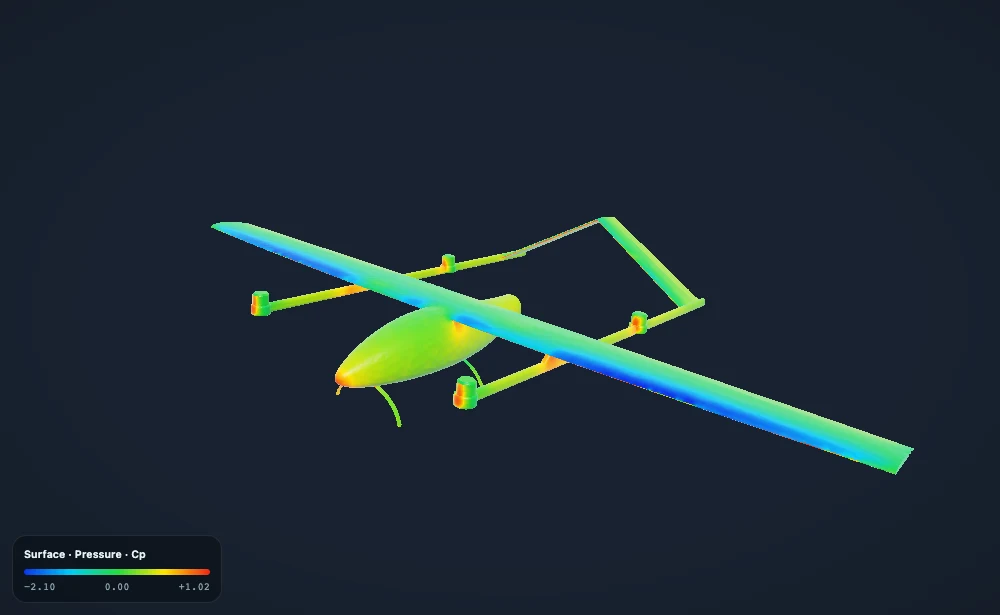
Run CFD across angles and control deflections. Explore the surface and wake, then compare lift, drag and moments.
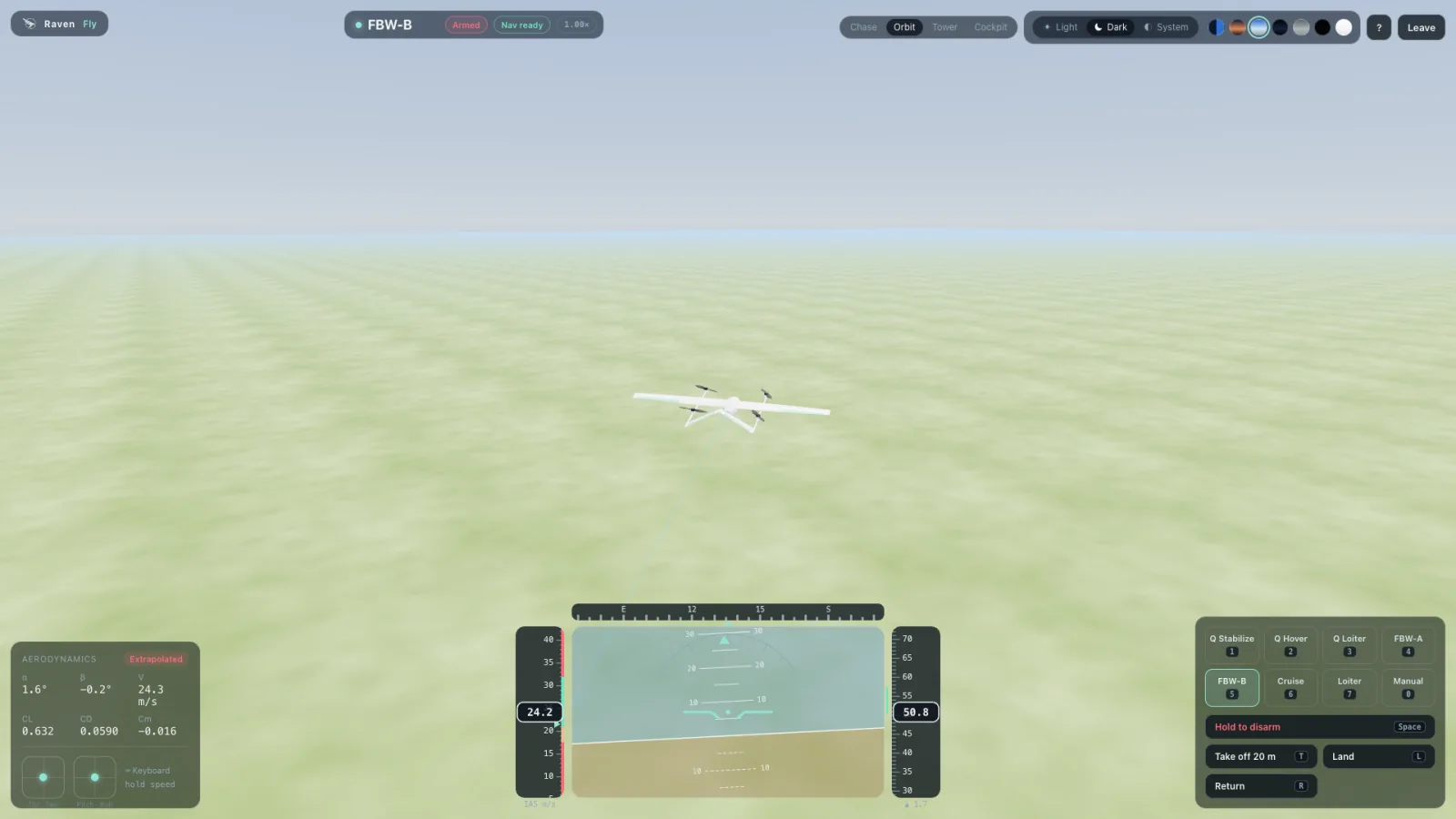
Test the flight model in Gazebo from your browser. Export the aircraft, world and simulation settings to keep working locally.
Raven at 8° angle of attack and 20 m/s. Turn the aircraft, switch surface fields and follow the wake.

Opening AeroLab…
In development: Gazebo and the autopilot will run on our servers, and you will fly and switch cameras in the browser.
A ZIP with the aircraft, world and flight model that browser flight uses, ready for your own Gazebo.
 Explore the full report
 Raven’s report comes from 24 CFD solutions: a wall-resolved polar from 0° to 14°, through the stall, plus aileron, elevator, rudder and sideslip cases. Every number traces back to its solution.
Explore Raven in the free AeroLab demo at 8° angle of attack and 20 m/s. Read the aerodynamic report and watch the CAD-to-flight workflow. Join the waitlist for access with your own aircraft.
STEP and STL geometry for fixed-wing aircraft, flying wings, gliders, VTOL aircraft and multirotors. For moving controls, import separate CAD parts so you can assign their hinges and travel before running CFD.
No. Hosted flight will run Gazebo and the autopilot on our servers. You’ll fly and change camera views in your browser, with live aircraft motion and telemetry. Hosted access is in development; the public AeroLab demo is available now.
Lift, drag and moments through the stall, stall speed, stability and control derivatives, flight performance and pictures of the flow around your aircraft, with the method and every solution listed. See the Raven report for a complete example.
A ZIP with aircraft meshes, model and world SDF files, aerodynamic data, controls, propulsion and autopilot settings. Browser flight and export use the same package builder. The included instructions specify the runtime and conditions for reproducing that setup locally.
The demo and waitlist are free. Hosted CFD and flight are planned with usage-based pricing. We’ll publish rates before paid access opens; joining the waitlist carries no purchase commitment.
We’ll email you when hosted CFD and flight are ready for your aircraft.
Free to explore today. On-demand hosted simulation is coming, with rates published before paid access opens.
Opening AeroLab…