On the wing at 60 m
Waypoint 1 reached, and a turn for the next. The waypoints are drawn in the flight view as they are typed.
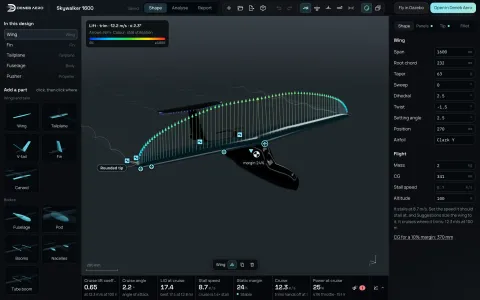 DesignSTEP or a drawing to aerodynamics in seconds: vortex lattice, 3D panels.
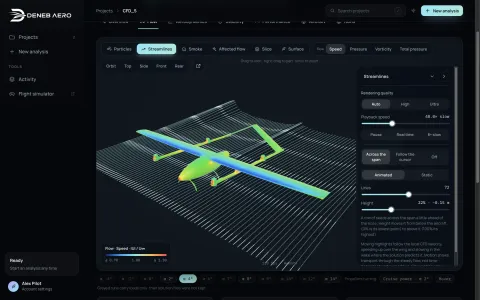 CFD StudioSTEP to a RANS polar: SST and SST-LM, on your computer.
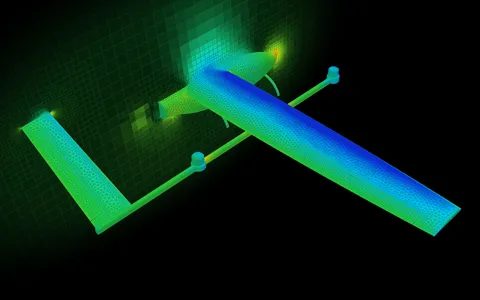 DenebMeshDeneb’s own mesher for aircraft.
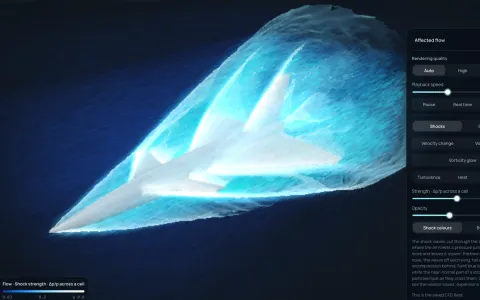 SupersonicShocks, schlieren and the sonic boom, from Mach 0.3 up.
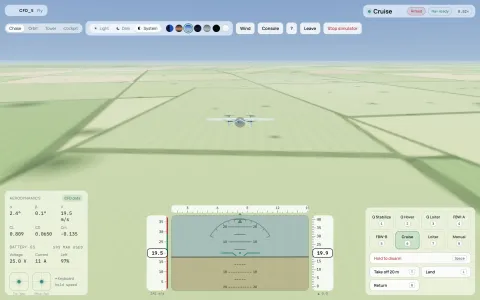 Flight simulationFly the result: Gazebo with ArduPilot SITL.
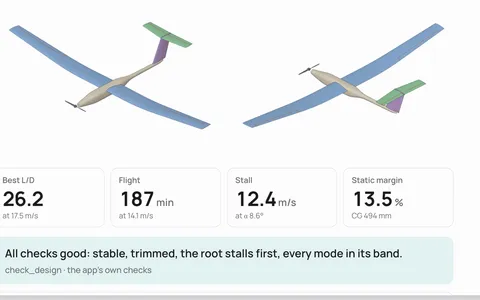 MCPYour AI agent designs with Deneb Design’s own analysis.
Flight simulation
Deneb Aero turns your drone’s CFD into a flight model for Gazebo and a parameter set for ArduPilot. Gazebo and ArduPilot SITL then fly it on your computer: hover, transition, missions, wind and gusts. Here it hovers in wind 6 270 2, typed in the console: 6 m/s from the west, gusting 2 m/s.
Lift, drag and moments at every angle the polar was solved for, with the controls and sideslip when the package includes them.
ArduPilot SITL runs the same ArduPilot code as the aircraft, with a parameter set built from the airframe, its motors and its mass.
The simulator runs on your computer. The cockpit opens in the browser, with its instruments, modes, cameras and a console.
Missions
Add waypoints in metres from home and switch to AUTO. The aircraft climbs on its rotors, goes over to the wing, flies the legs and comes home, as ArduPilot would fly it on the day.
Waypoint 1 reached, and a turn for the next. The waypoints are drawn in the flight view as they are typed.
Mission complete, then return to launch: it comes back on the wing and lands on its lift rotors.
Tuning
A button in the Studio flies each tuning flight: ArduPilot’s autotune for the wing, QuickTune for the hover. The gains they find go into the parameter set you take to the aircraft.
The pusher throttles up over 4 s while the autopilot holds the nose level: the nose rose 3.6° at most, and 1.0° once the hover was tuned.
ArduPilot’s AUTOTUNE rolls the aircraft one way and the other and sweeps the roll and pitch rate gains, in the simulator, before the first flight.
ArduPilot’s QuickTune raises each lift-rotor gain until it buzzes, then backs it off. A 6 m/s gust rolled the Raven 0.45° as built and 0.11° tuned.
Your own setup
Download the flight model as a ZIP: the model, the world, the aerodynamic data and the autopilot settings. It runs on Gazebo, ArduPilot and the ArduPilot Gazebo plugin as released.
It is the CFD’s aircraft, flown. Check it against the real aircraft before you trust it for the real one.
The torque each servo must hold, from the hinge moments in the CFD at the top speed and full travel: 2.7 kg·cm for the Raven’s ailerons.
Worked out from the motors, the propellers, the battery and the polar, before the battery is bought.
We use cookies to see how our sites are used and make them better. Your choice applies to all Deneb Systems sites. Learn more