Reading the Results
A project opens on its Overview tab. The header shows the project’s name, its state, the CAD file, the reference values (S and b), the cruise speed and the mass. On the right are the buttons Report, Gazebo package and Fly it, and the Project settings button (gear icon).
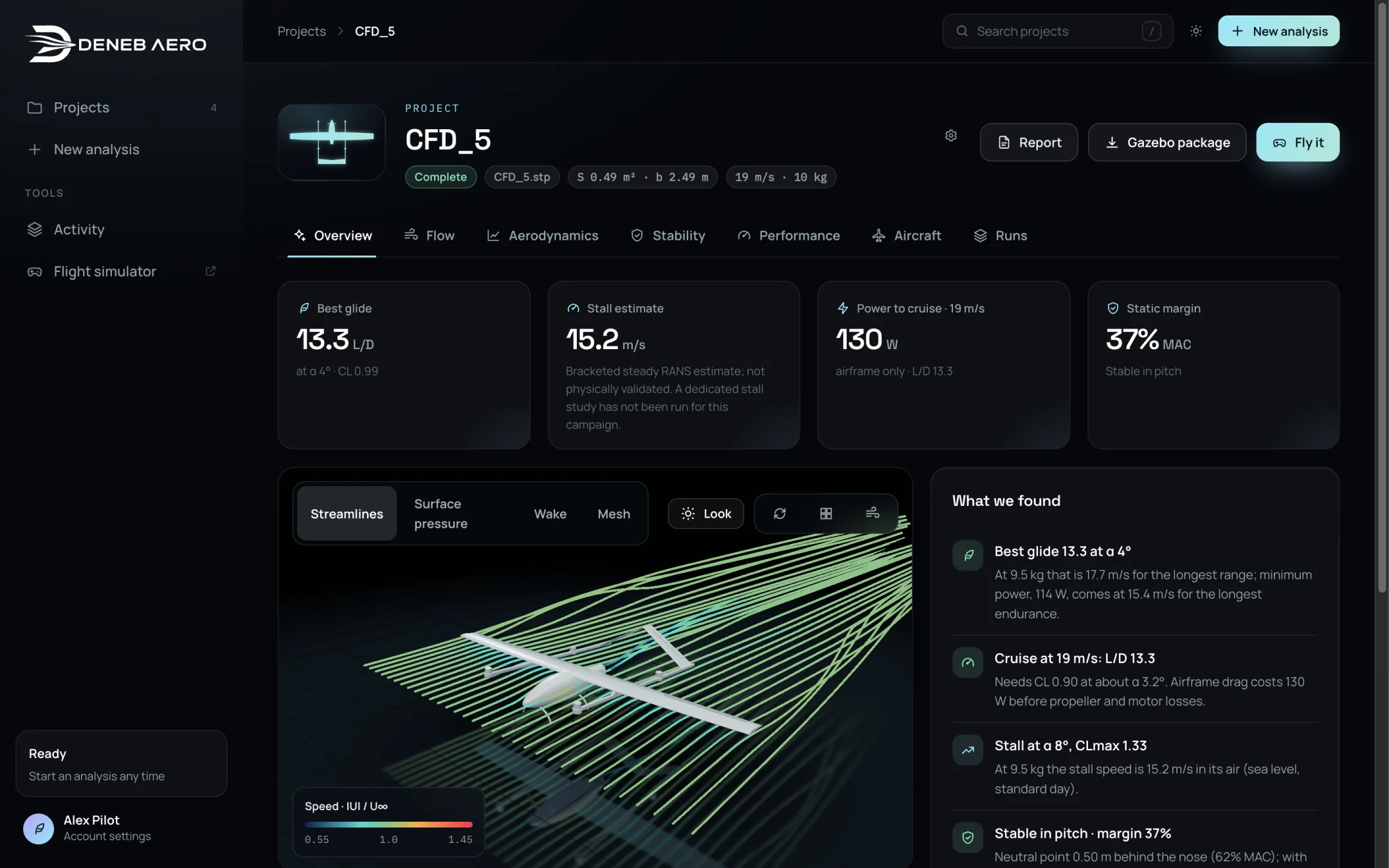
A project with its tabs.
Tab |
Content |
|---|---|
Overview |
The key numbers, a 3D view of the flow and the list What we found. |
Flow |
The flow studio: particles, streamlines, smoke, affected flow, slices and surface values of any run whose flow was kept. |
Aerodynamics |
Lift curve, drag polar, lift to drag, pitching moment and the table of coefficients. |
Stability |
Static margin, neutral point, trim and sideslip derivatives. |
Performance |
Speeds and power, flight time and range on the battery, and the ceiling. |
Aircraft |
The aircraft setup and the flight model. See Aircraft Setup. |
Runs |
Every run of the analysis with its state, and the controls to pause, resume and stop. See Runs and the Queue. |
For a multirotor, the Stability tab is not shown and the Aerodynamics and Performance tabs show the body and the hover.
Results appear as runs finish. A tab whose runs have not finished shows what is available so far.