Flying
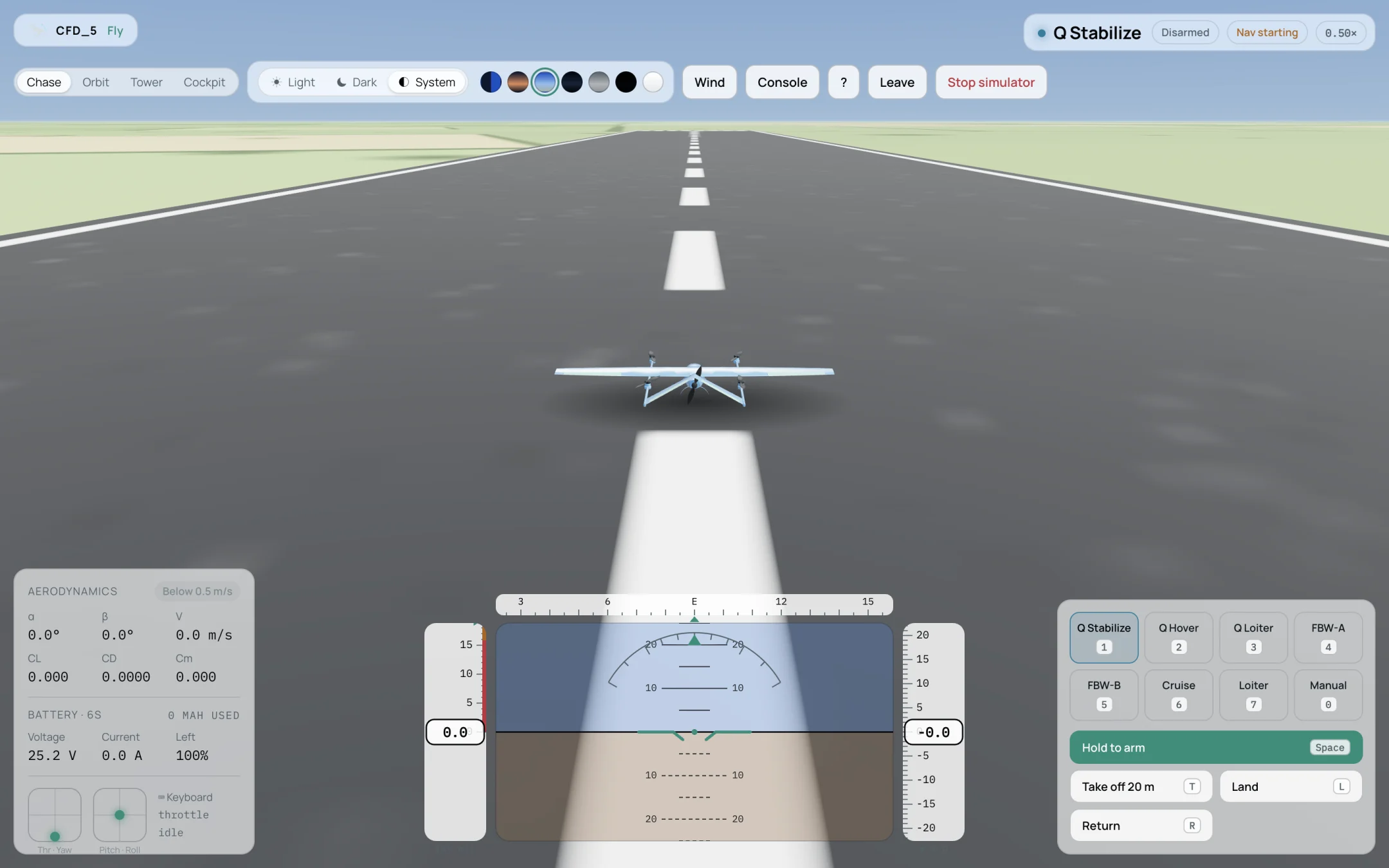
The cockpit, disarmed on the runway.
Important
Keep the cockpit visible while flying. If you switch to another browser tab, pilot input stops and the autopilot’s radio failsafe triggers, which usually starts a return to launch.
Screen layout
- Top left
The aircraft’s name. Below it the camera views: Chase, Orbit, Tower and Cockpit; the theme; the sky colour; and the buttons Wind, Console, ? (help), Leave and Stop simulator.
- Top right
The flight mode, Armed or Disarmed, the navigation state (Nav starting, then Nav ready when the autopilot has a position) and the simulation speed against real time, for example 0.50×. A computer that cannot keep up runs the simulation slower than real time.
- Bottom left — Aerodynamics
α, β and airspeed V, and the coefficients CL, CD and Cm being applied. The chip shows where the loads come from: CFD data, CFD, averaged, Extrapolated (outside the CFD data) or Below 0.5 m/s.
- Bottom left — Battery
Voltage, current, charge left and mAh used. Below, the stick positions (throttle and yaw, pitch and roll) and the input source, for example Keyboard.
- Bottom centre
The primary flight display: airspeed tape (left), attitude, heading scale (top) and altitude tape (right).
- Bottom right
The flight modes and the actions.
Flight modes
Key |
Mode |
Use |
|---|---|---|
1 |
Q Stabilize |
VTOL hover with the attitude held level; throttle by hand. |
2 |
Q Hover |
VTOL hover holding height. |
3 |
Q Loiter |
VTOL hover holding position and height. |
4 |
FBW-A |
Wing-borne, attitude stabilised; throttle by hand. |
5 |
FBW-B |
Wing-borne, holding height and speed. |
6 |
Cruise |
Wing-borne, holding heading, height and speed. A VTOL aircraft transitions to wing-borne flight. |
7 |
Loiter |
Circles the current position. |
0 |
Manual |
Direct control of the surfaces. |
The modes available depend on the vehicle. The Q modes exist only for VTOL aircraft.
Actions
Hold to arm / Hold to disarm |
Space |
Hold to arm or disarm the motors. |
Take off 20 m |
T |
Arms and climbs to 20 m. Fixed-wing aircraft without lift rotors use an air launch. |
Land |
L |
Vertical descent for VTOL, or a forward approach for fixed-wing aircraft. |
Return |
R |
Returns home (RTL). |
Keyboard
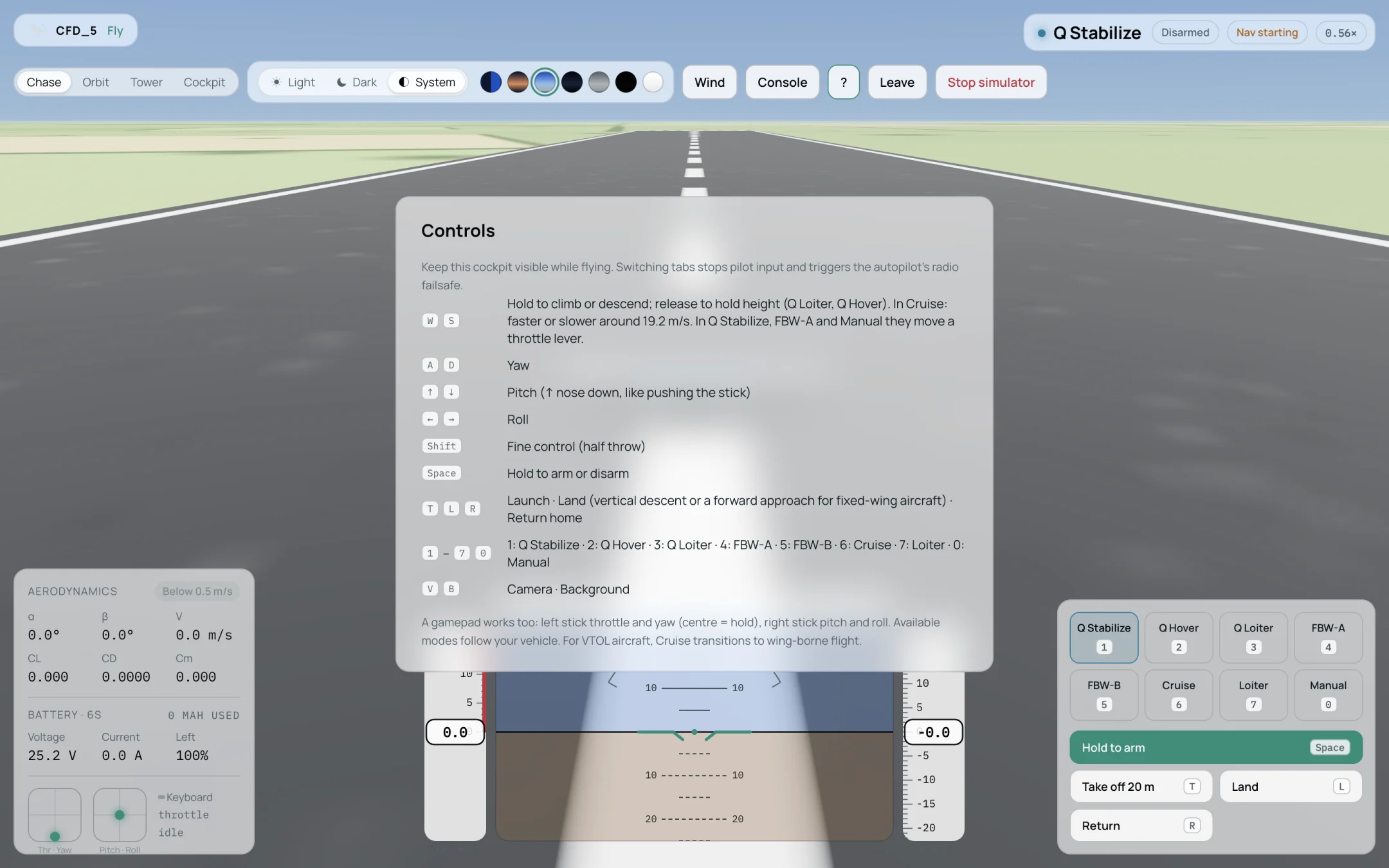
The Controls help, opened with the ? button.
Key |
Function |
|---|---|
W / S |
Hold to climb or descend; release to hold height (Q Loiter, Q Hover). In Cruise: faster or slower around the cruise speed. In Q Stabilize, FBW-A and Manual they move a throttle lever. |
A / D |
Yaw. |
↑ / ↓ |
Pitch (↑ nose down, like pushing the stick). |
← / → |
Roll. |
Shift |
Fine control (half throw). |
Space |
Hold to arm or disarm. |
T / L / R |
Take off, land, return home. |
1 – 7, 0 |
Flight modes. |
V / B |
Camera view, background. |
A gamepad works too: left stick throttle and yaw (centre holds), right stick pitch and roll.
A typical VTOL flight
Press T. The aircraft arms, takes off on its lift rotors and holds 20 m in Q Loiter.
Press 6. The aircraft accelerates on its forward motor, transitions to wing-borne flight and holds its heading in Cruise.
Use the arrow keys to turn, and W / S to change speed.
Press R to return home. ArduPilot’s return-to-launch settings decide how it comes back and lands.
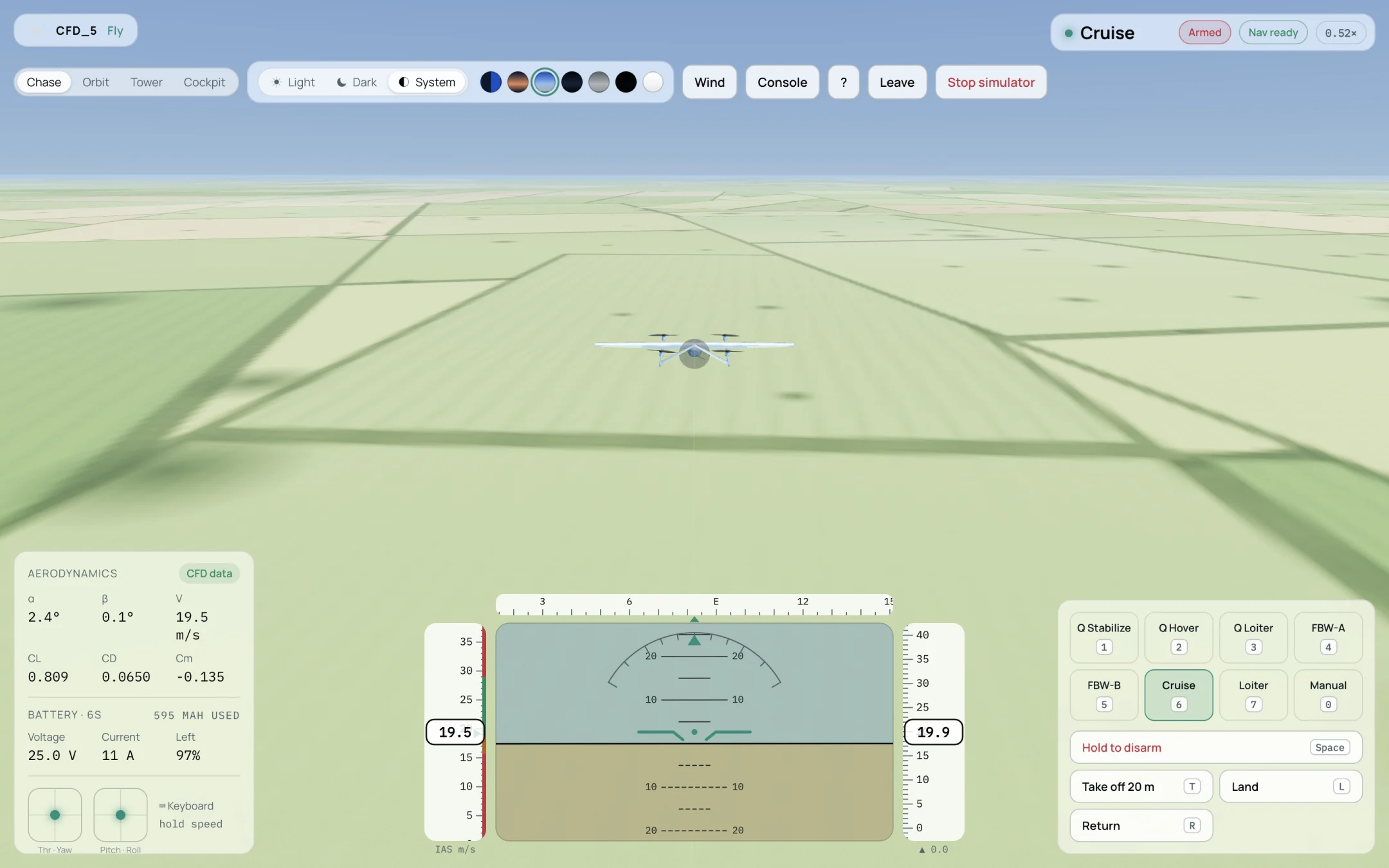
Wing-borne in Cruise. The Aerodynamics panel shows that the loads come from CFD data.