How Deneb Aero Works
This page explains where the work is done and how a project moves from CAD to results.
Your computer and your account
All computation runs on your own computer. The Deneb Aero application installs a simulation service that meshes the aircraft, runs the solver and stores the results. Nothing is computed on a remote server, and your CAD files, meshes and flow solutions do not leave your computer.
Your Deneb account, on aero.deneb-systems.com, keeps only:
your sign-in,
your plan,
the project records: the name, the reference values, the flight conditions and the list of runs.
Because the project records are kept with the account, the project list is the same on every computer where you sign in. The results themselves are only on the computer that computed them.
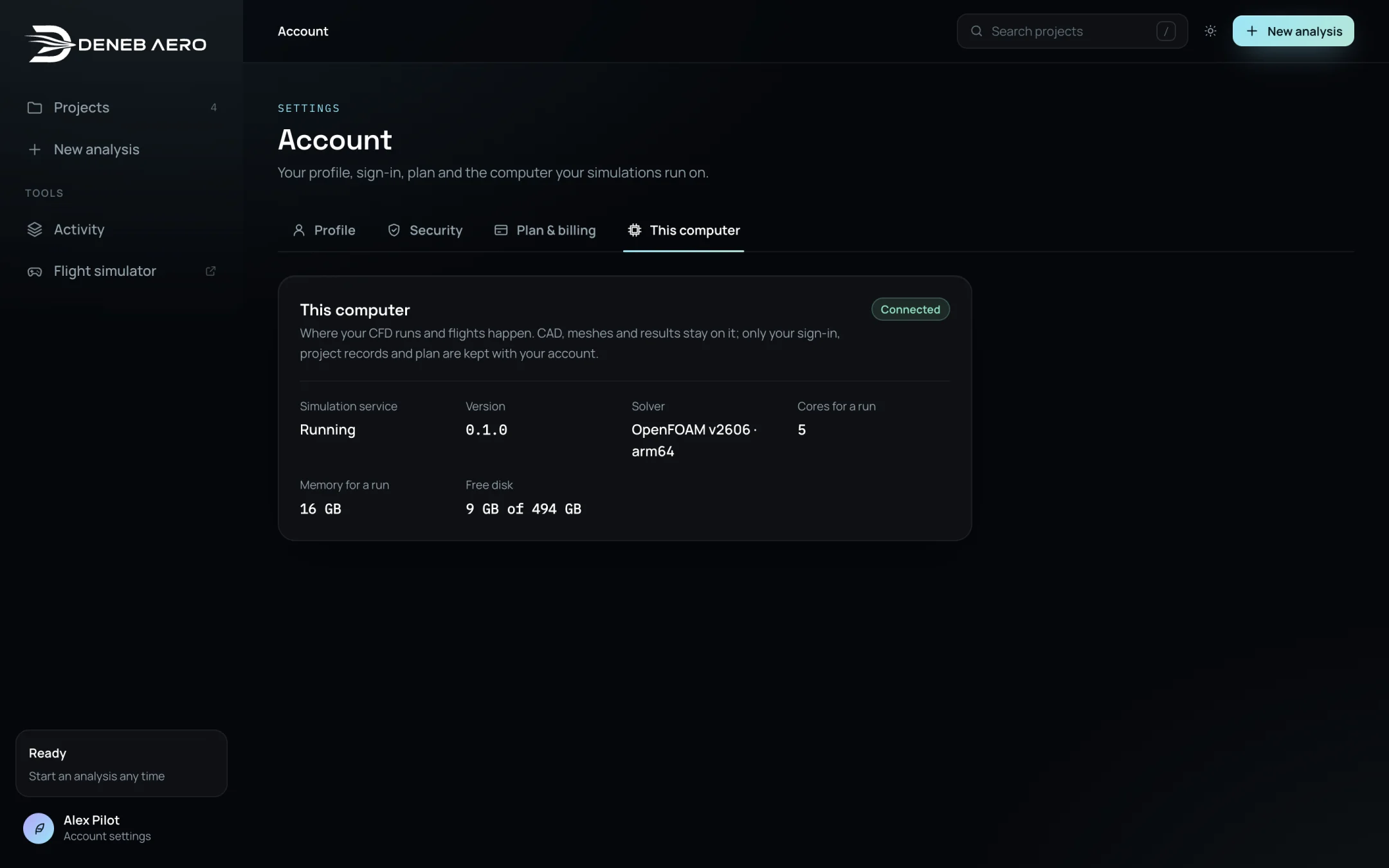
shows the simulation service of the computer that the Studio is connected to.
The Studio on the website and the Studio in the application
There are two places where the Studio can be opened:
In the application. When Deneb Aero is running, its Studio is at
http://127.0.0.1:43127/?studio#/projects. This Studio is connected to the simulation service on the same computer. Use it to run analyses and flights.On the website. The Studio at aero.deneb-systems.com shows your account, your plan, the download page and your project records. It cannot reach your computer, so it cannot start runs or flights. It shows a link that opens the Studio of the application.
From CAD to results
Upload. The STEP or STL file is read in the browser. It is tessellated, checked for open edges and repaired where possible. See Step 1: Upload.
Geometry. You confirm the direction of the wind and of “up”, and the reference area, chord and span. See Step 2: Geometry.
Flight. You enter the cruise speed, the mass, the centre of gravity and the air the aircraft flies in. See Step 3: Flight.
Package. You choose what to compute. Each item adds runs. See Step 4: Package.
Aircraft. For a flight model, you assign the control surfaces and set up the motors. See Step 5: Aircraft.
Review and launch. Deneb Aero estimates the mesh size, the memory, the disk space and the time. When you launch, the runs are queued. See Step 6: Review and Launch.
Solving. The simulation service solves one run after another. For each run it meshes the aircraft at its attitude, initialises the flow, iterates until the loads settle, and checks the result. You can close the browser while it works.
Results. Finished runs appear in the project tabs. Some runs are added automatically when earlier runs finish, for example the angles next to the lift peak. See Reading the Results.
Flight model. When the campaign is complete, the flight model is built and can be flown or exported. See Flight Simulator.