Runs and the Queue
Every run of a project is listed in its Runs tab. Runs are solved one at a time, in the order they were queued, across all projects of the computer.
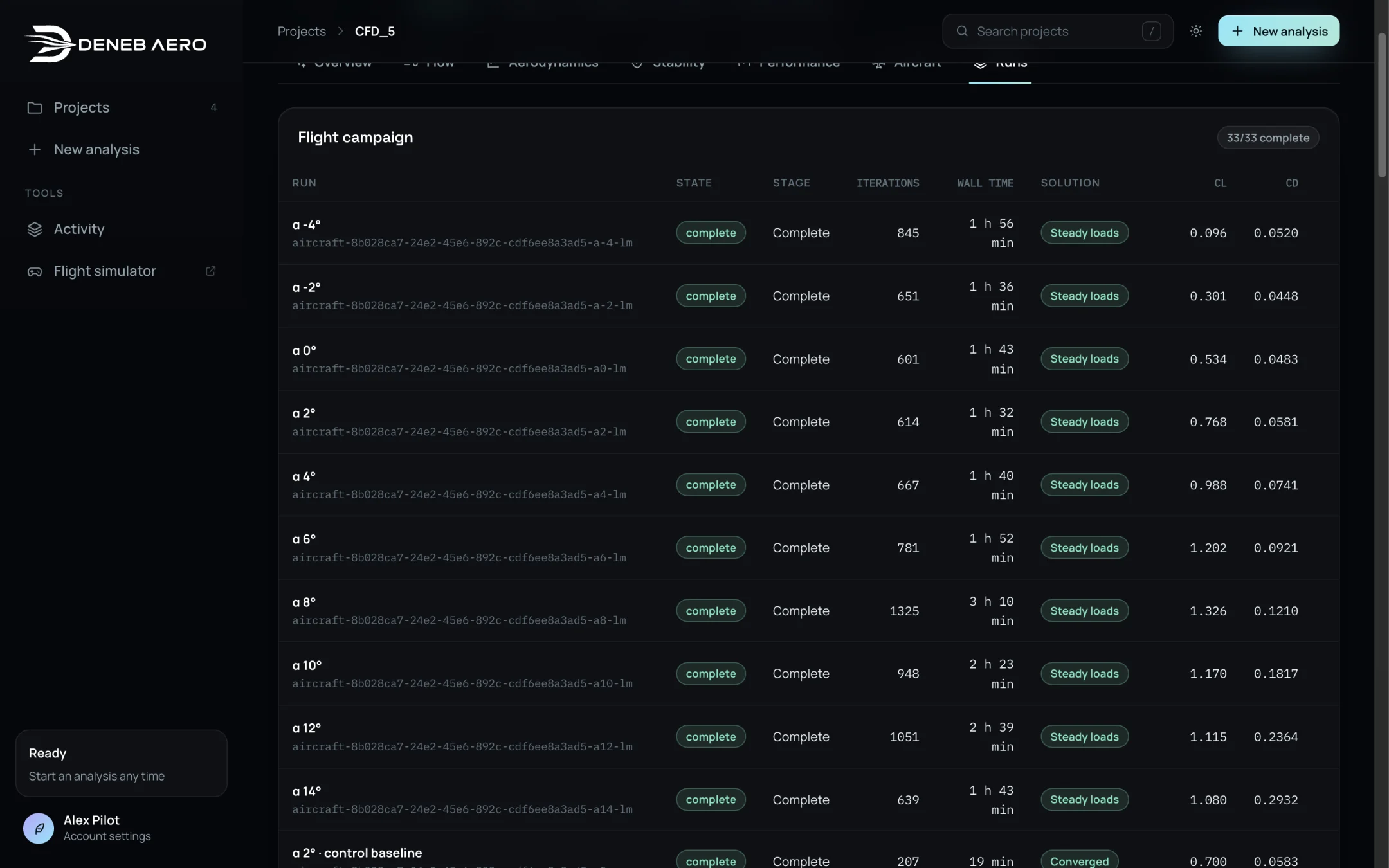
The Runs tab.
The run list
The runs are grouped:
- Flight campaign
The polar, the control runs, sideslip, rates and the runs with the propellers turning.
- Validation checks
Runs that assess sensitivity, such as the sideslip symmetry check and the controls at higher angles. Completion alone does not establish accuracy: they are separate comparisons.
- Stall studies
The runs that refine the stall.
Each row shows the run’s name and case id, its State, Stage, Iterations, Wall time, Solution type and its CL and CD.
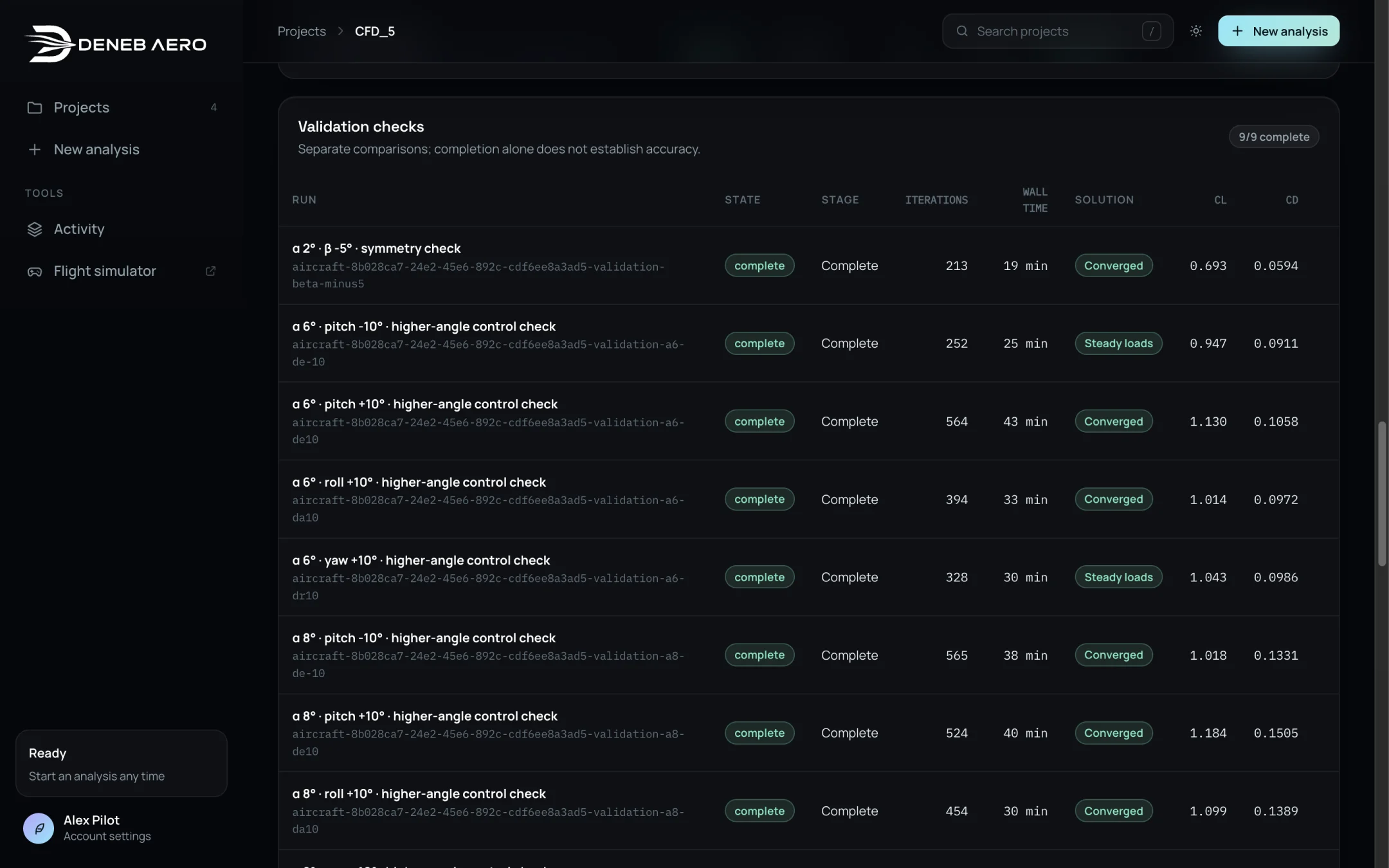
Validation checks.
The analysis in progress
While an analysis runs, a panel at the top of the project shows the overall progress, the stage of the active run (Preparing, Meshing, Initialising, Solving, Checking, Complete) and, while solving, the largest residual against the iteration and the running mean of CL and CD. About … left estimates the remaining time.
Controls for the whole analysis
Button |
Action |
|---|---|
Pause |
Pauses the queued runs, and the solving run at its next checkpoint. |
Resume |
Resumes the paused runs from their checkpoints. |
Try again |
Resumes the failed runs from their checkpoints, and starts the stopped runs again. |
Run again |
Starts the stopped runs again from the beginning. |
Stop analysis |
Stops the running run and cancels the waiting ones. You are asked to confirm. Finished runs keep their results; a stopped run starts again from the beginning. |
Controls for one run
In the run list:
Stop — stops a running, queued or pausing run.
Resume — resumes a paused, interrupted or failed run from its checkpoint.
Run again — sends a cancelled run again.
Interrupted runs
If Deneb Aero is quit, updated or the computer restarts while a run is solving, the run is kept as interrupted and can be resumed from its last checkpoint.
Runs added automatically
Some runs are queued by Deneb Aero itself when earlier runs finish. A notification tells you when:
Stall sampled 1° apart — the two angles next to the lift peak, when the polar has found it.
Roll, pitch and yaw damping — the rate runs, from the converged α 2° run.
Propellers turning — cruise power and hover, from the α 2° case.
Controls near the stall — the α 6° control runs again at the lift peak.
Unsteady past the stall — when chosen, the polar angles where steady RANS cannot be trusted.
Unsteady runs
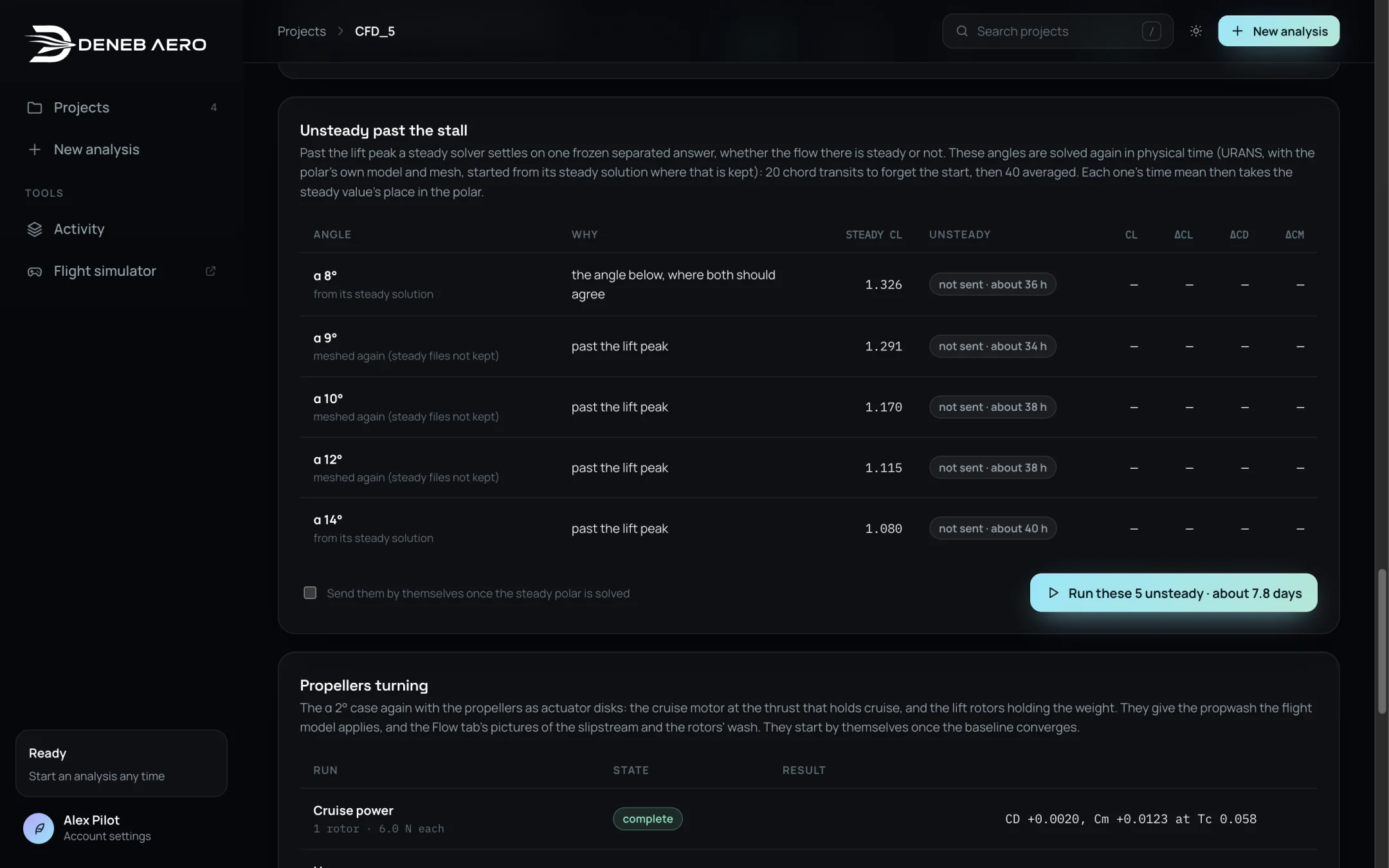
Unsteady runs past the stall, and the propeller and near-stall control runs.
Past the lift peak a steady solver settles on one frozen separated answer, whether the flow there is steady or not. The Unsteady past the stall section lists the angles that can be solved again in physical time (URANS): 20 chord transits to forget the start, then 40 averaged. Each one’s time mean then takes the steady value’s place in the polar. Each angle takes more than a day. Use the button (for example Run these 5 unsteady · about 7.8 days) to send them; send them once the steady polar is solved.