Step 5: Aircraft
This step is shown for the Full flight model and the Multirotor packages. The CFD measures the controls: each moving surface must be assigned to its own CAD part, so that the analysis can rotate the part and measure its effect. Motors, propellers, mass and inertia are needed for the flight; you can set them now or later in the project.
The same editor is used in the Aircraft tab of a project. Its parts are described in Aircraft Setup. This page describes what must be done before the runs can be launched.
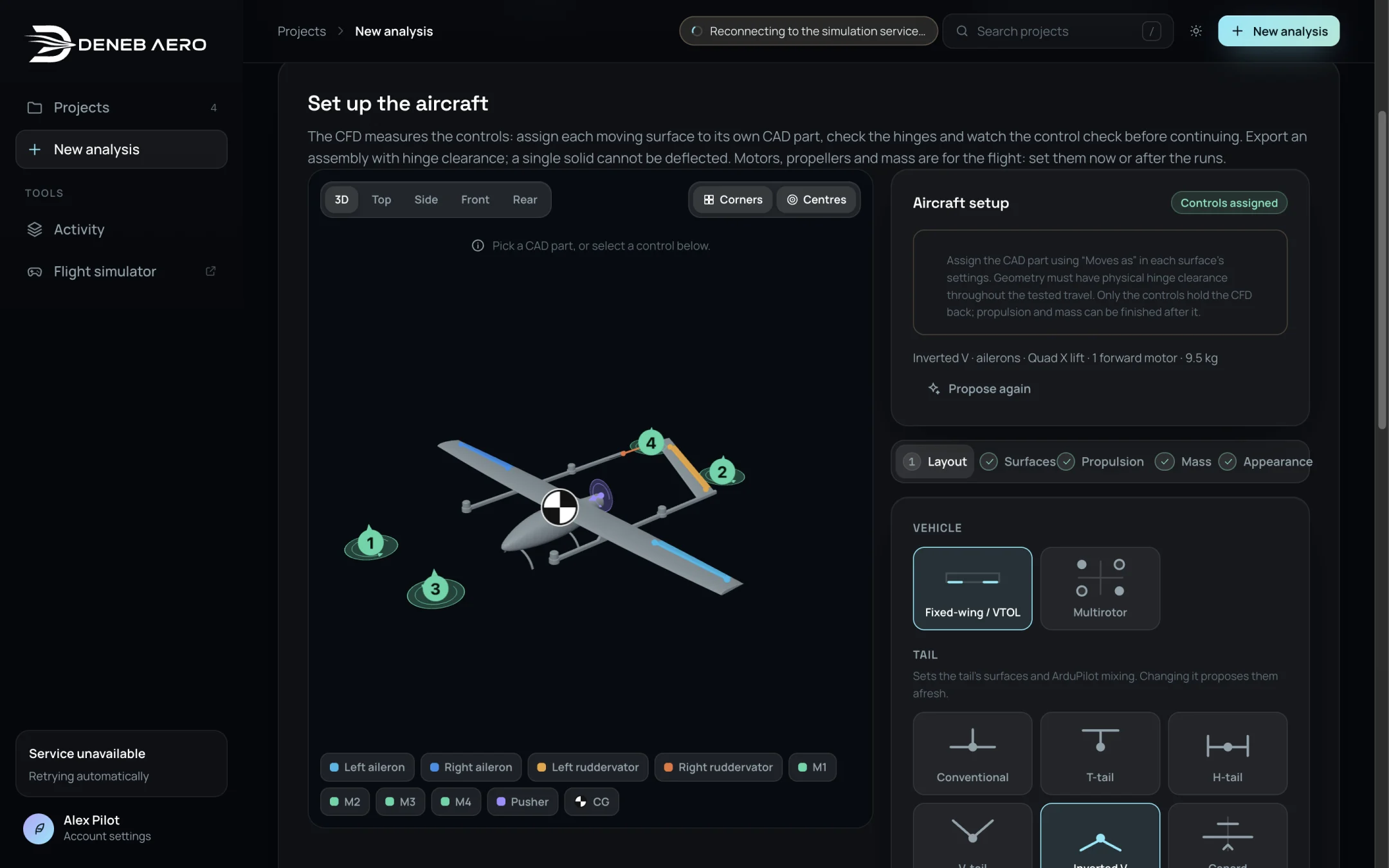
The Aircraft step.
Procedure
Select Propose from the geometry. Deneb Aero looks at the CAD parts and proposes a vehicle type, a tail, the control surfaces, the lift rotors and the forward motor. The summary line shows the result, for example Inverted V · ailerons · Quad X lift · 1 forward motor · 9.5 kg.
Check the proposal. The box Aircraft setup lists what is still to fix, for example Add the ruddervators: they pitch the aircraft. The number of open items is shown at the top right of the box (for example 2 to fix).
If the tail or the wing controls are wrong, open Layout and select the correct types. See Layout. The surfaces are proposed again.
Open Surfaces and assign each missing surface:
Click the control surface on the model. A menu opens with the name of the CAD part and the text Make this part a moving surface, hinged on its front edge.
Select the role, for example Left aileron. Select More… for the other roles.
The surface is added to the list with its part, its hinge length and its travel, for example Left ruddervator · Part 3 · 357 mm · ±25°.
See Surfaces for the hinge, travel and servo settings.
When all surfaces are assigned, the box shows Controls assigned and Check the controls appears. Select Play all, or each input in turn, and check on the model that the surfaces move the right way. A tick next to an input means the estimated effect of the surfaces turns the aircraft the right way.
Optionally set up Propulsion, Mass and Appearance.
Select the box I checked the motion, assigned parts and hinge clearance for all controls through ±10° (flaps 0–10°).
Select Review (the button shows the number of runs).
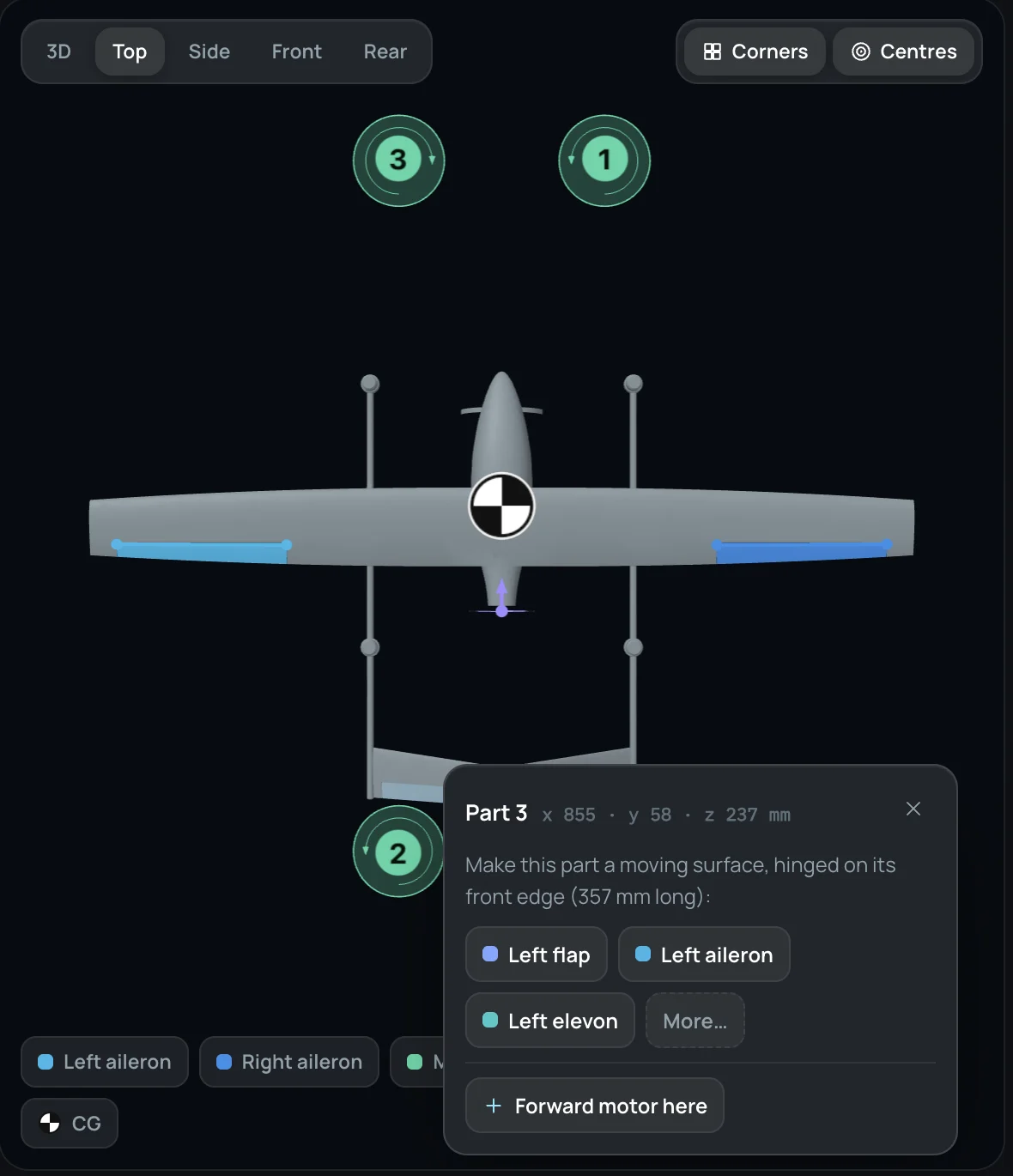
The menu for a separate CAD part.
Important
Only the controls are required before the CFD. Propulsion and mass can be completed after the runs, in the project’s Aircraft tab. But if the aircraft has propellers and you want the Propellers turning runs, place the motors and propellers before launching.
Multirotors
For a multirotor, select the frame layout (for example Quad X) and check the motor positions, their order and spin direction, and the loaded mass. The body CFD does not resolve the rotor wakes; the hover runs model the rotors as actuator disks.