Flow Tab
The Flow tab is the flow studio. It draws the solved flow of a run in 3D, in the browser, using WebGPU. Only runs whose flow solution was kept can be shown (see Disk Space).
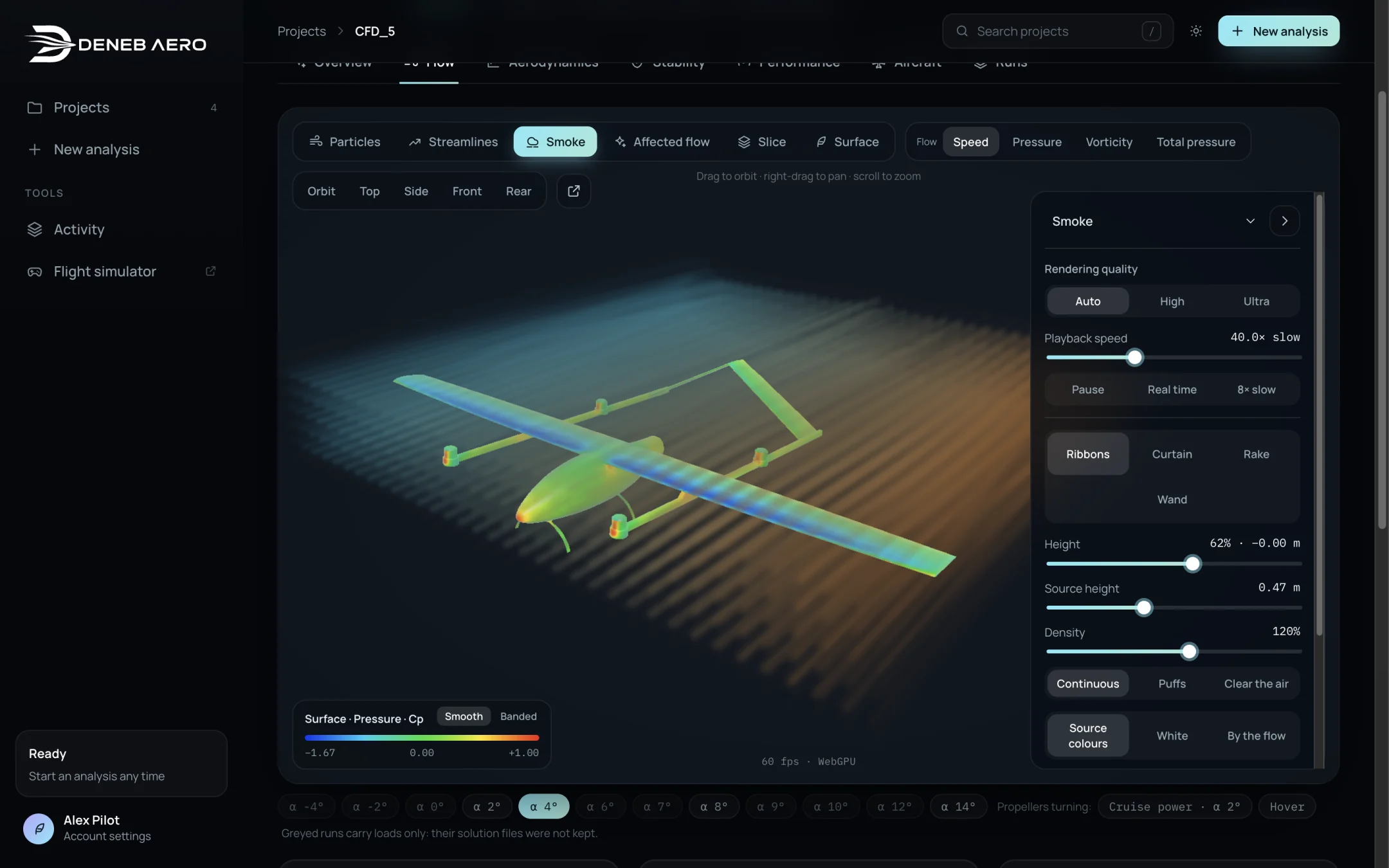
The Flow tab with the Smoke layer.
Window layout
Layer buttons (top left): Particles, Streamlines, Smoke, Affected flow, Slice and Surface. Each button turns its layer on or off; several layers can be shown together. The settings panel on the right shows the settings of the last layer selected.
Flow colour (top): Speed, Pressure, Vorticity and Total pressure. Sets the quantity that colours the flow layers.
Views: Orbit, Top, Side, Front, Rear, and a button that opens the view in its own window.
Colour scale (bottom left), with Smooth or Banded colours for the surface.
Frame rate (bottom centre), for example 60 fps · WebGPU.
Mouse: drag to orbit, right-drag to pan, scroll to zoom.
Below the view are the run chips (as on the Overview tab), the loads of the selected run, its convergence plot and a short guide Reading the flow.
Common settings
- Rendering quality
Auto, High or Ultra. Auto adapts to the graphics card.
- Playback speed
How fast the flow moves, for example 40.0× slow. Pause, Real time and 8× slow are presets. The motion shows transport through the steady solution; it is not time-dependent turbulence.
Particles
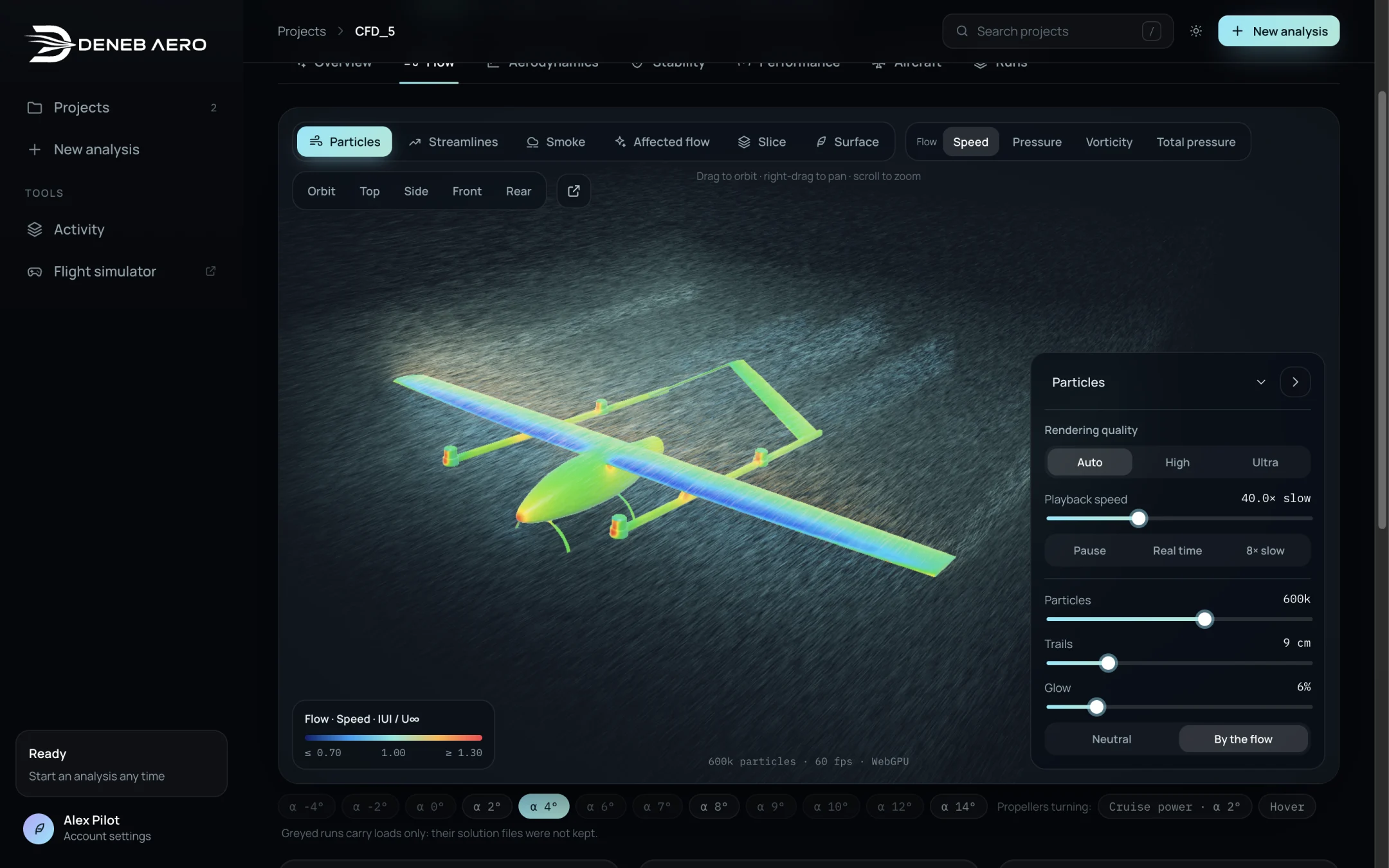
Particles.
Particles are air carried by the solved velocity: bright where the air speeds up over the wing, dark in the wake. Settings: Particles (number, for example 600k), Trails (length), Glow, and colour Neutral or By the flow.
Streamlines
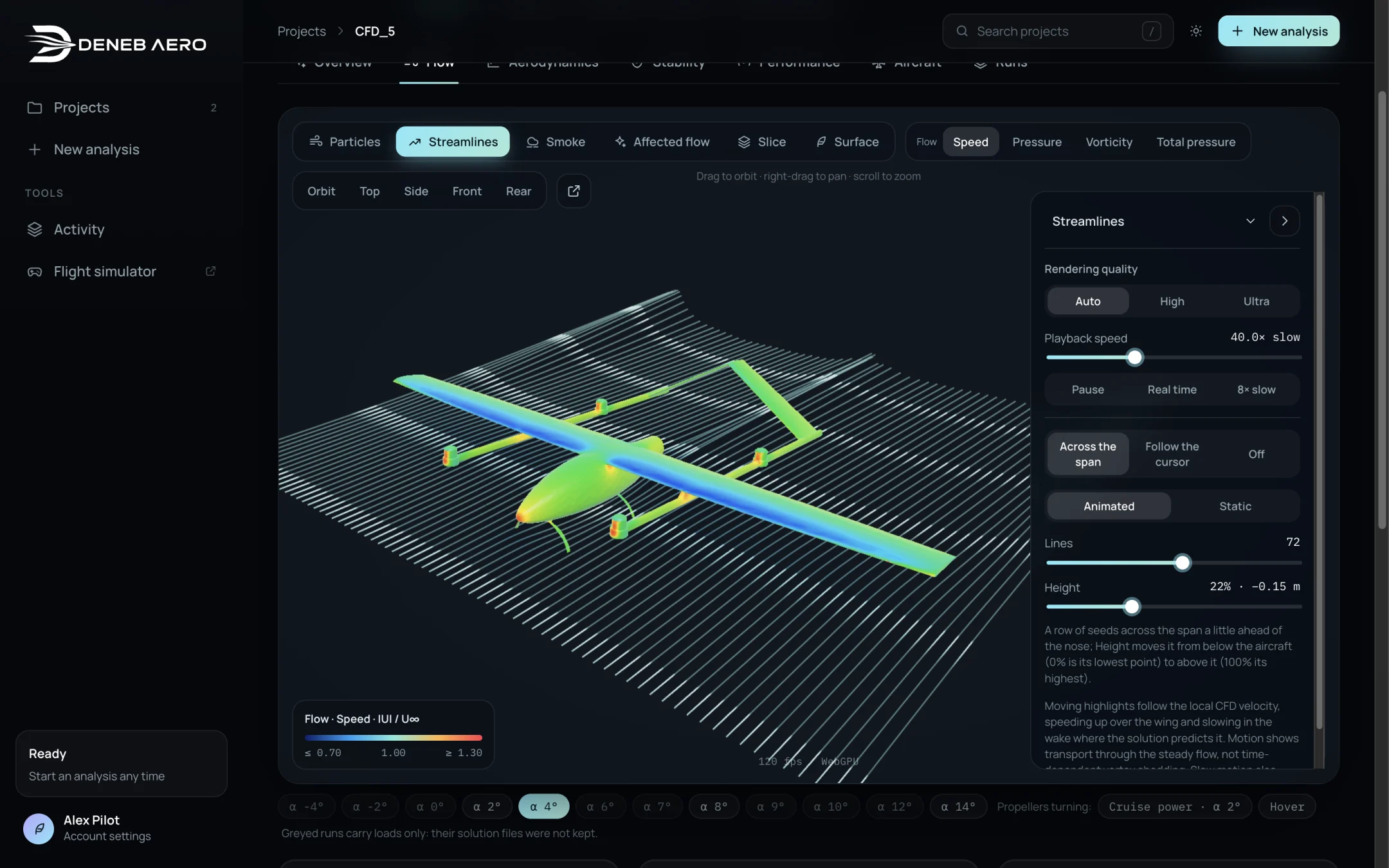
Streamlines seeded across the span.
Streamlines follow the flow from a row of seeds or from the cursor. Settings:
Seeds: Across the span (a row a little ahead of the nose), Follow the cursor, or Off.
Animated or Static. Moving highlights show the direction and the travel time at the local velocity.
Lines: the number of lines.
Height: the height of the row of seeds, from 0% (lowest point of the aircraft) to 100% (highest point).
Smoke
Smoke draws continuous streams, as in a wind tunnel. Settings:
Source: Ribbons, Curtain, Rake or Wand.
Height, Source height and Density.
Continuous or Puffs; Clear the air removes the smoke.
Colour: Source colours (where the smoke entered, not pressure or speed), White or By the flow.
Affected flow
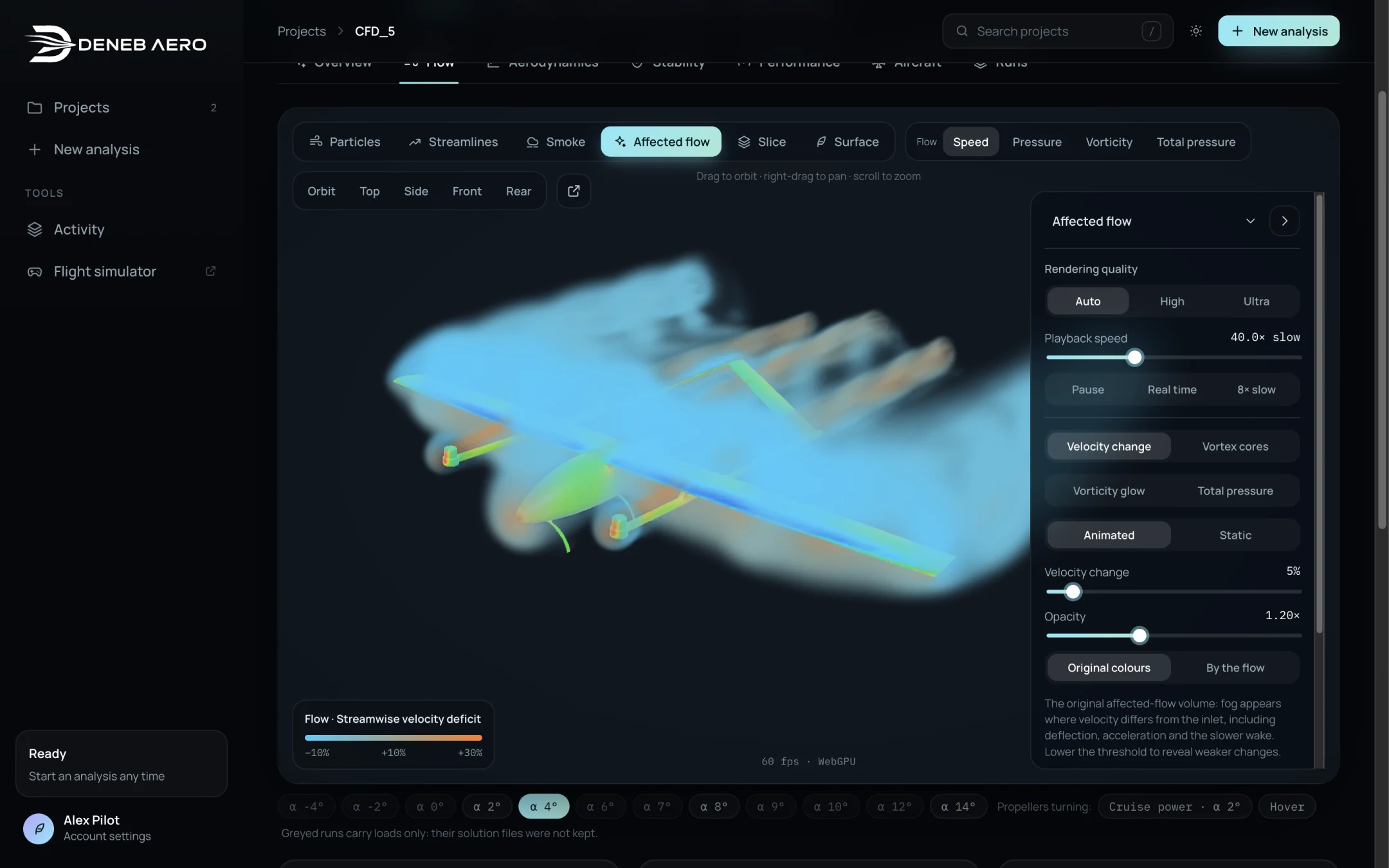
Affected flow: the region where the velocity differs from the free stream.
Shows a fog where the velocity differs from the inlet: acceleration over the wing, turning air and the slower wake. Modes: Velocity change, Vortex cores (where rotation beats strain, the Q-criterion: the tip vortices), Vorticity glow and Total pressure. Velocity change sets the threshold in percent; lower it to show weaker changes. Opacity sets the density. Colours: cyan for faster streamwise flow, orange for a velocity deficit.
Slice
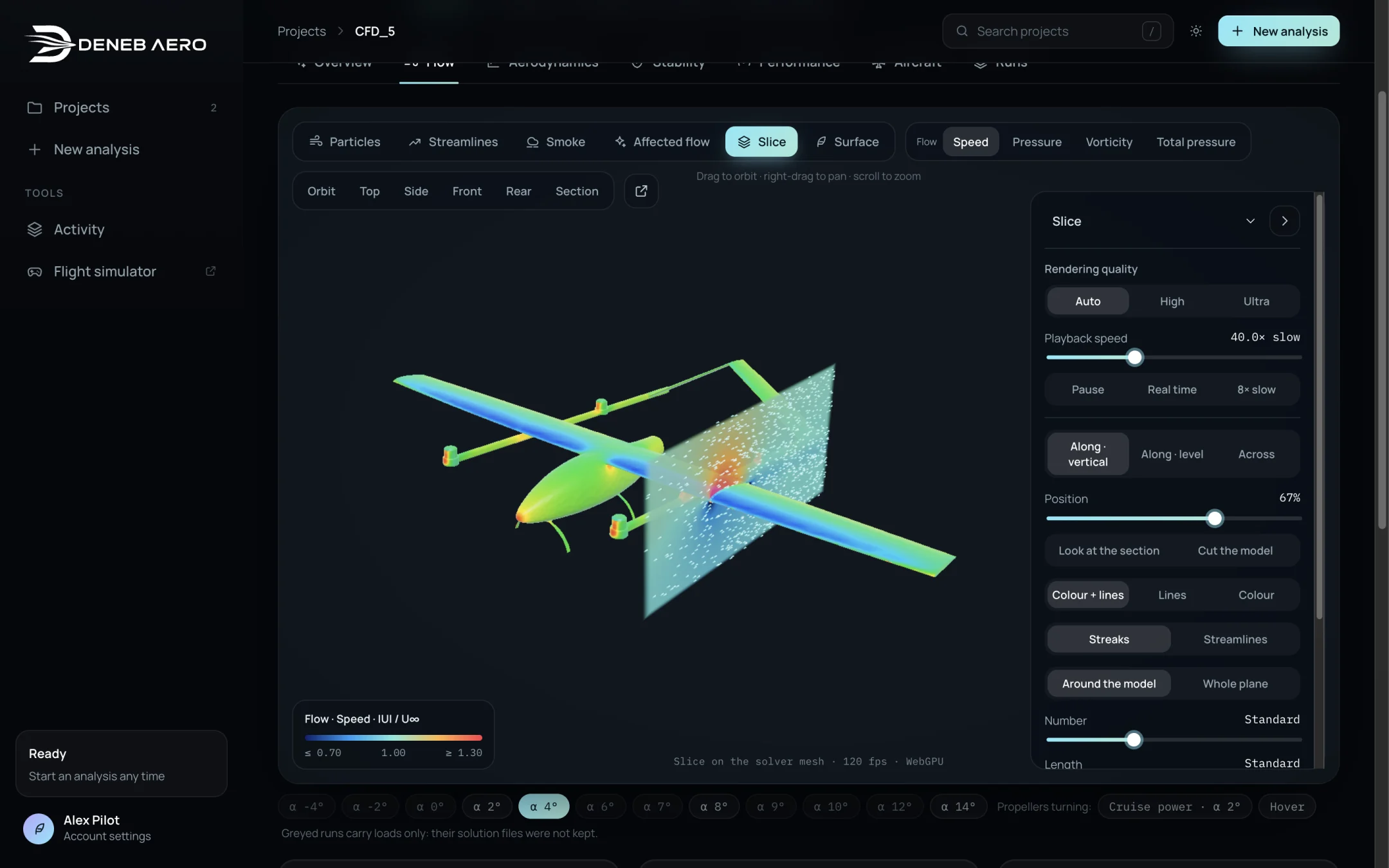
A vertical slice along the flow.
A plane through the solver’s own cells. Settings:
Orientation: Along · vertical, Along · level or Across.
Position of the plane.
Look at the section turns the view to face the plane; Cut the model hides the part of the aircraft in front of it.
Drawing: Colour + lines, Lines or Colour.
Lines: Streaks or Streamlines, Around the model or Whole plane, with their number, length, thickness and speed.
Hover over the plane to read the local speed and pressure coefficient.
Surface
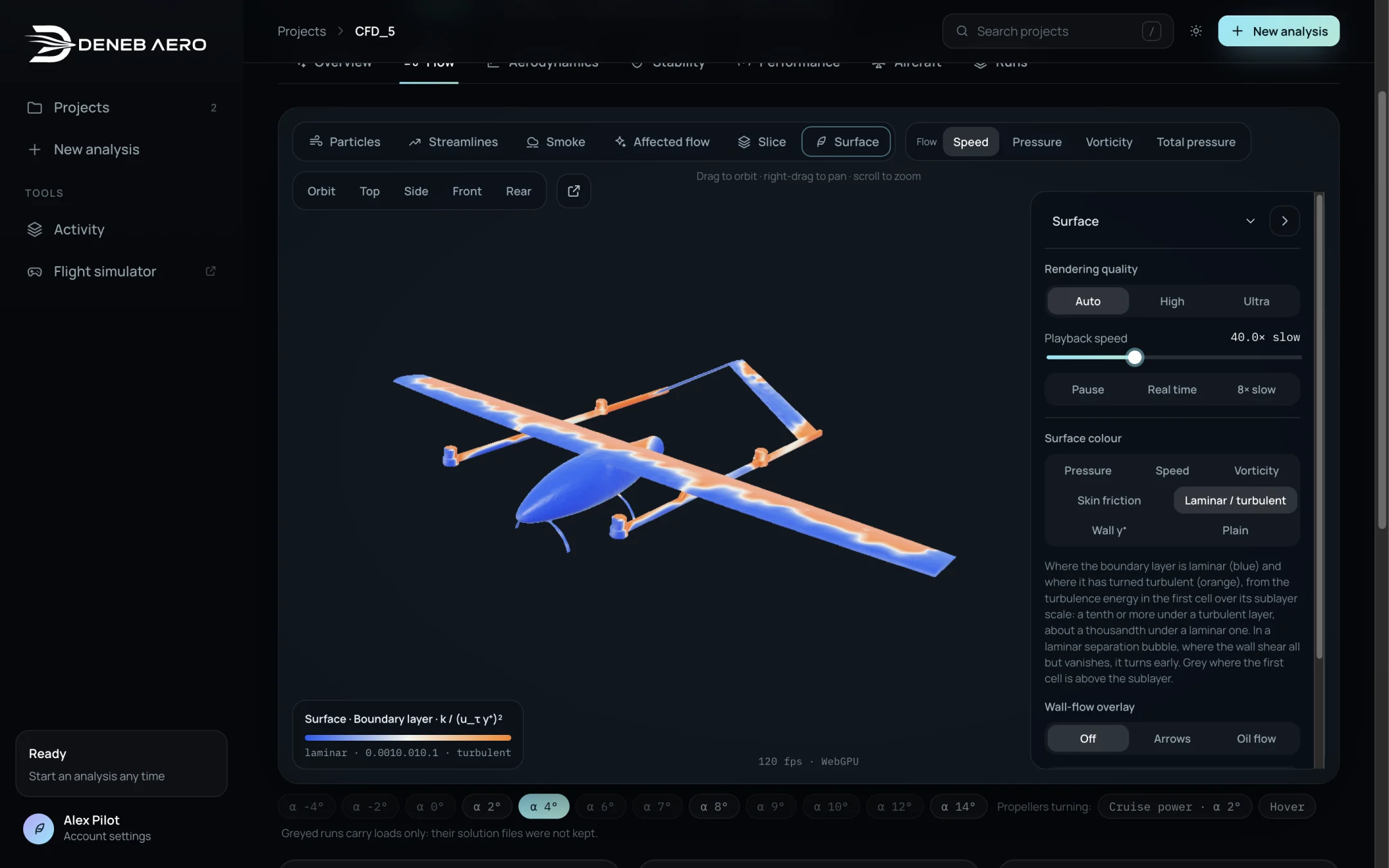
Surface coloured by the state of the boundary layer.
Colours the aircraft by a surface value:
Surface colour |
Meaning |
|---|---|
Pressure |
Pressure coefficient Cp. |
Speed |
The flow speed next to the surface. |
Vorticity |
Vorticity at the wall. |
Skin friction |
Skin friction coefficient Cf. |
Laminar / turbulent |
The state of the boundary layer, from the turbulence near the wall. The colour scale shows which end is laminar and which is turbulent. Meaningful for runs with the transition model. |
Wall y⁺ |
The non-dimensional height of the first cell. Shows whether the mesh resolves the boundary layer. |
Plain |
No colour. |
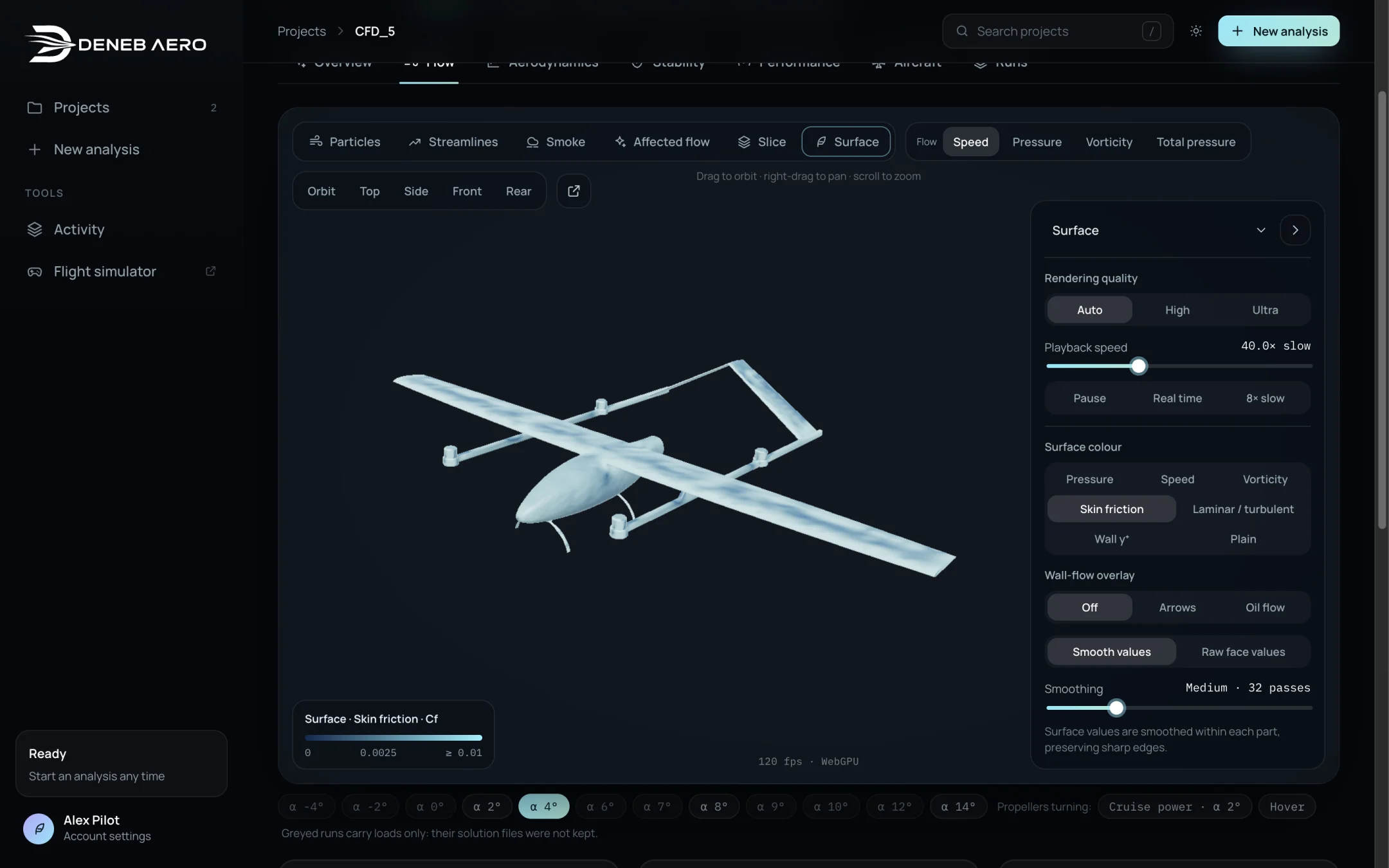
Surface coloured by skin friction.
Wall-flow overlay: Off, Arrows or Oil flow (the pattern of wall shear, as in an oil-flow test). Smooth values or Raw face values, and Smoothing (smoothing stays within each part and keeps sharp edges).
Loads and convergence
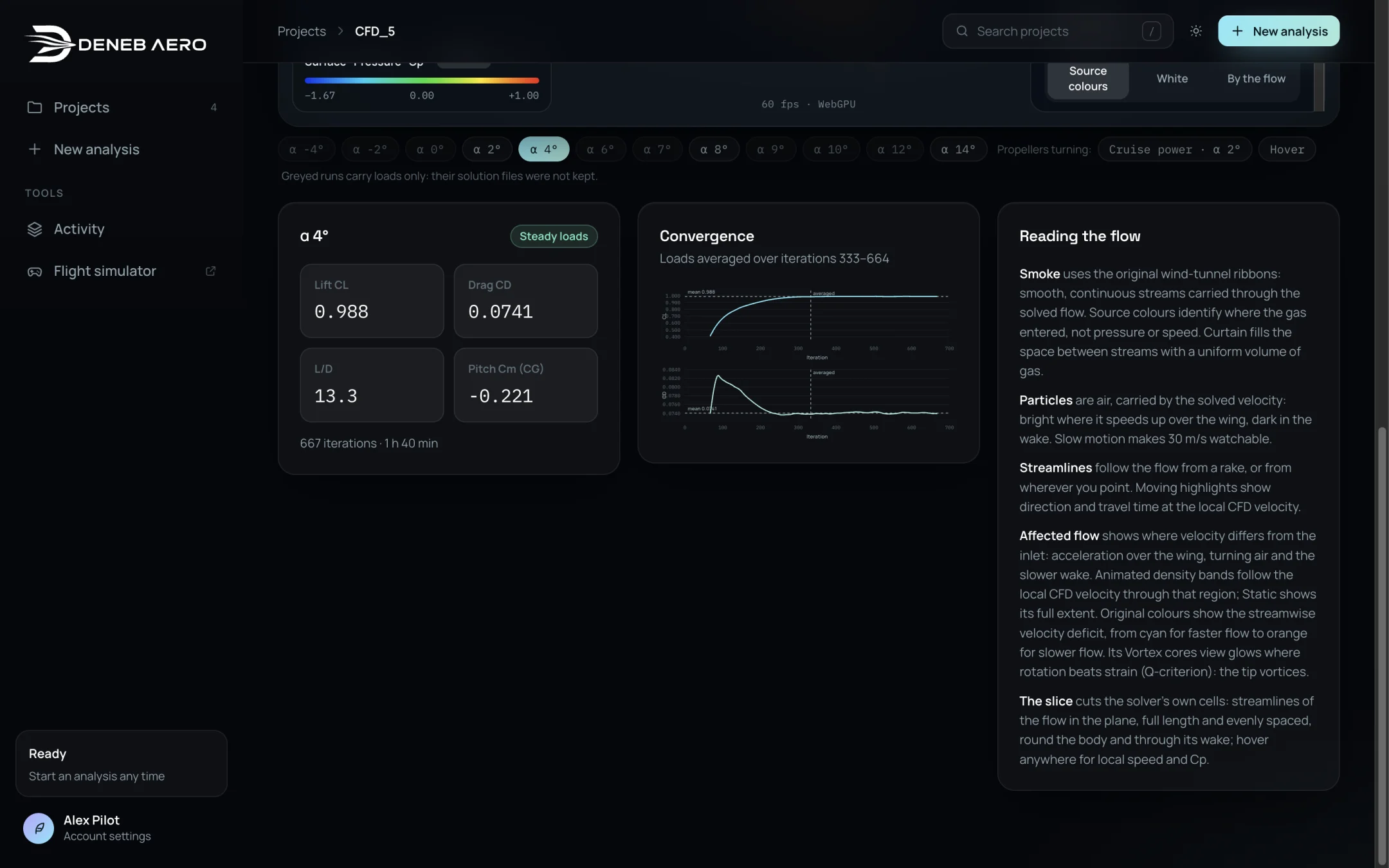
Loads and convergence of the selected run.
Below the view, the card of the selected run shows its solution type (see Solution Types and Convergence), Lift CL, Drag CD, L/D and Pitch Cm (CG), the number of iterations and the wall time. The Convergence plot shows CL and CD against the iteration, with the averaging window marked.