Performance Tab
The Performance tab turns the polar into speeds, power, flight time, range and ceiling. Two sliders at the top set the Mass and the Cruise speed for this page; they do not change the project or need new runs.
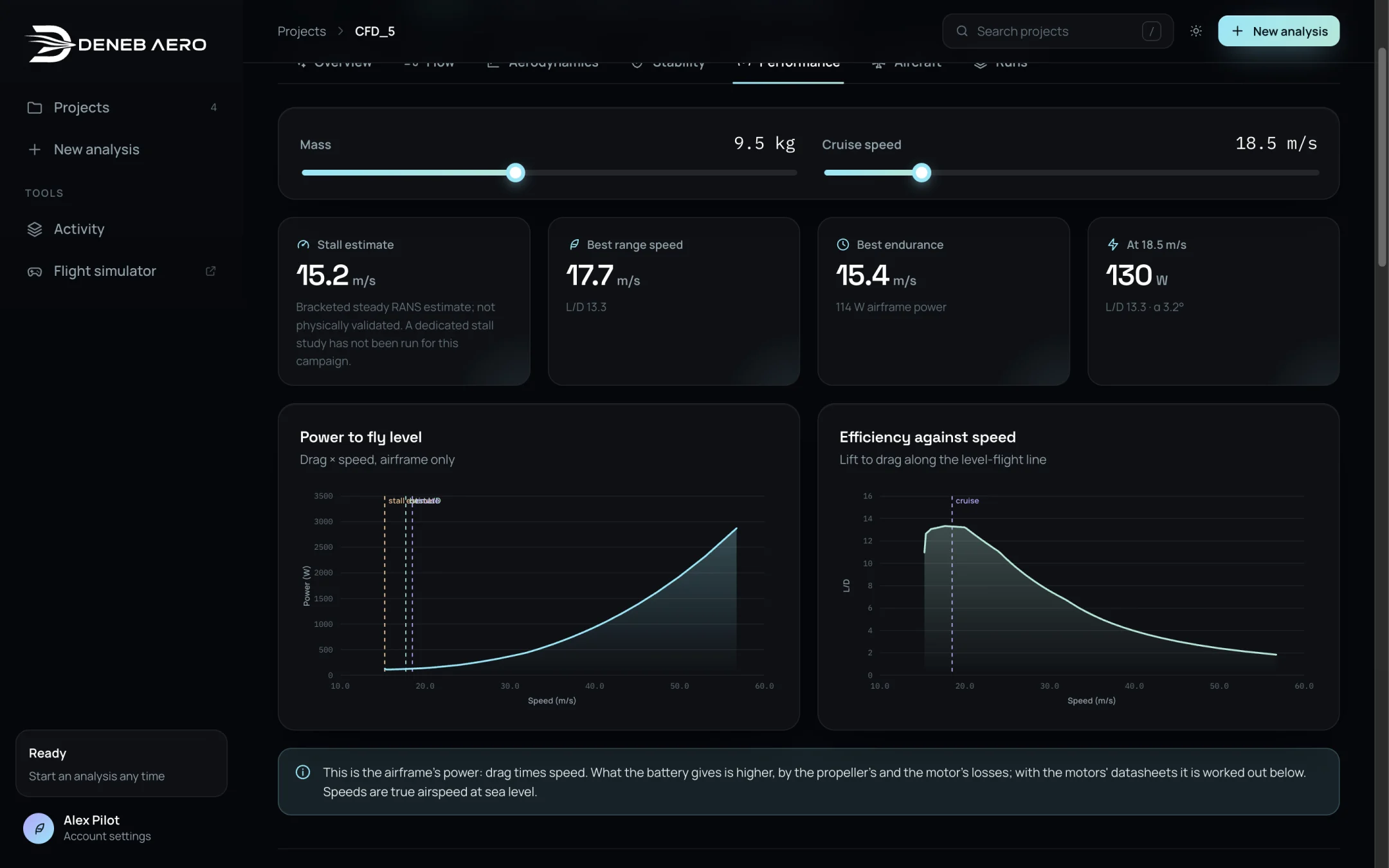
Speeds and power.
Speeds and power
- Stall estimate
The stall speed at the mass set, from the highest lift coefficient of the polar.
- Best range speed
The speed of the best lift to drag ratio, for the longest range.
- Best endurance
The speed of minimum power, for the longest flight time, and the airframe power there.
- At <cruise speed>
The airframe power at the cruise speed set, with L/D and α.
- Power to fly level
The power against speed: drag × speed, airframe only. The stall estimate, best L/D and the cruise are marked.
- Efficiency against speed
L/D along the level-flight line.
Note
This is the airframe’s power. The battery gives more, because of the losses of the propeller and the motor. With the motors’ data entered, these losses are worked out in the next section. Speeds are true airspeeds in the project’s air.
On the battery
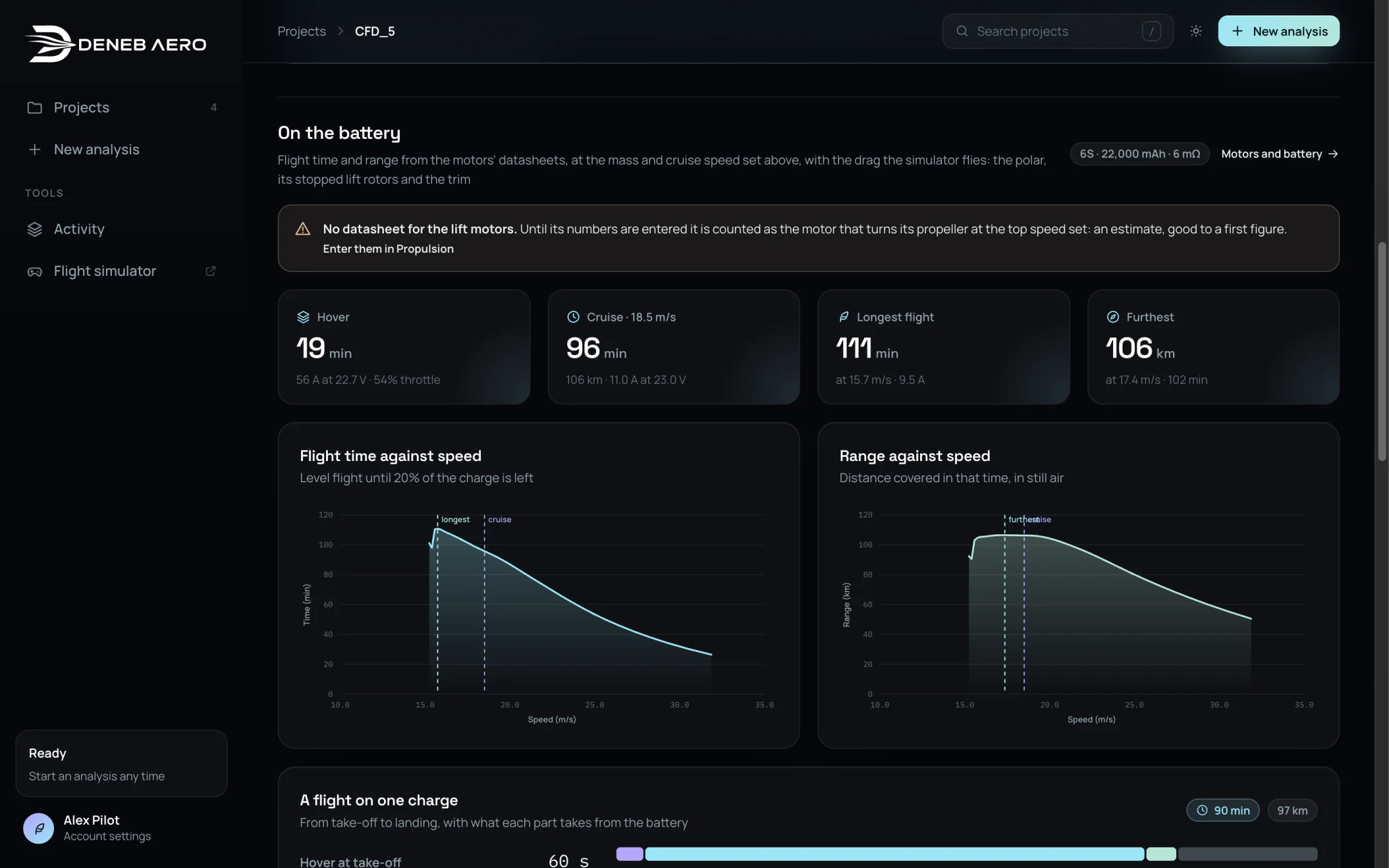
Flight time and range from the motors’ data.
This section works out flight time and range from the motors and battery set up in , with the drag that the simulator flies: the polar, the stopped lift rotors and the trim. The cards show:
Hover — the time in hover, with the current, voltage and throttle (VTOL and multirotor).
Cruise — the time and range at the cruise speed.
Longest flight — the longest time and the speed at which it is reached.
Furthest — the longest range and its speed.
The charts Flight time against speed and Range against speed assume level flight until 20% of the charge is left, in still air.
If a motor has no datasheet, a note says that it is counted as the motor that turns its propeller at the top speed set: an estimate, good to a first figure. Enter the motor’s data in Propulsion to improve it.
A flight on one charge

A whole flight, from take-off to landing.
A mission profile: hover at take-off, cruise, hover at landing and the reserve left at landing. Set the hover times and the reserve with the sliders. The table lists each part of the flight with its time, current, charge, share of the battery and distance. The charts show the battery current and voltage over the flight.
The model is a lithium-polymer pack in still air, with no power for avionics or payload. The hover is out of ground effect and the transitions between hover and wing-borne flight are not counted.
Flown in the simulator

What the battery gave in the simulator, beside the estimate.
When the aircraft has been flown in the tuning flight (Tuning in the Simulator), this table compares the current and voltage measured in the flight with the values worked out on this page for the same mass, speed and charge. Agreement shows that the estimate holds in a flight; it does not show that the motor’s data are right.
How high it flies
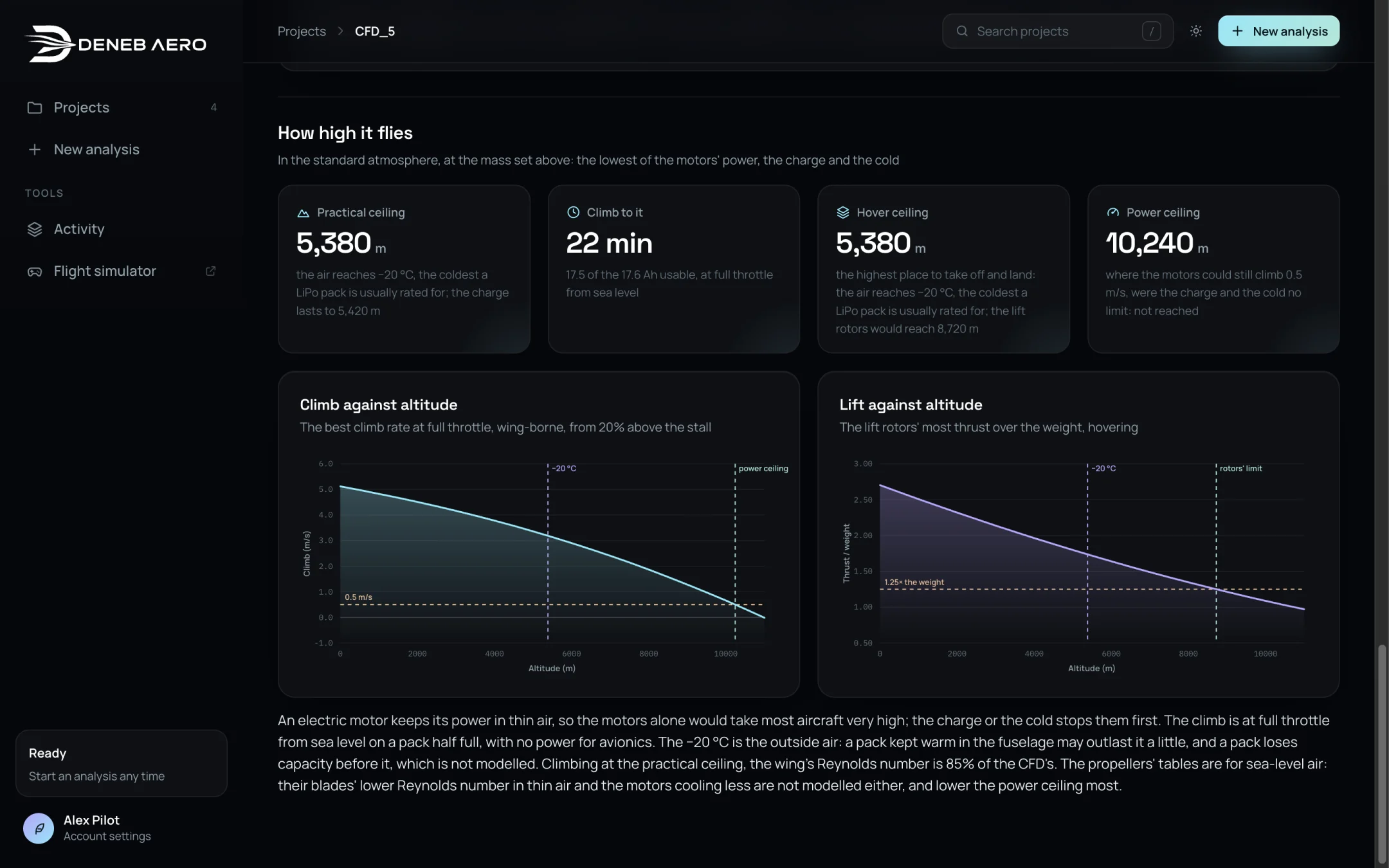
Ceilings in the standard atmosphere.
- Practical ceiling
The lowest of three limits: the motors’ power, the charge and the cold. The cold limit is the altitude where the air reaches −20 °C, the coldest a LiPo pack is usually rated for.
- Climb to it
The time to climb to the practical ceiling at full throttle from sea level, and the charge used.
- Hover ceiling
The highest place to take off and land (VTOL and multirotor).
- Power ceiling
Where the motors could still climb at 0.5 m/s, were the charge and the cold no limit.
The charts show the best climb rate and the lift rotors’ thrust-to-weight ratio against altitude. The propeller tables are for sea-level air, so the power ceiling is the least certain of the figures.